Spectrometer Vacuum Pump Troubleshooting: A Complete Guide for Research and Pharma Professionals
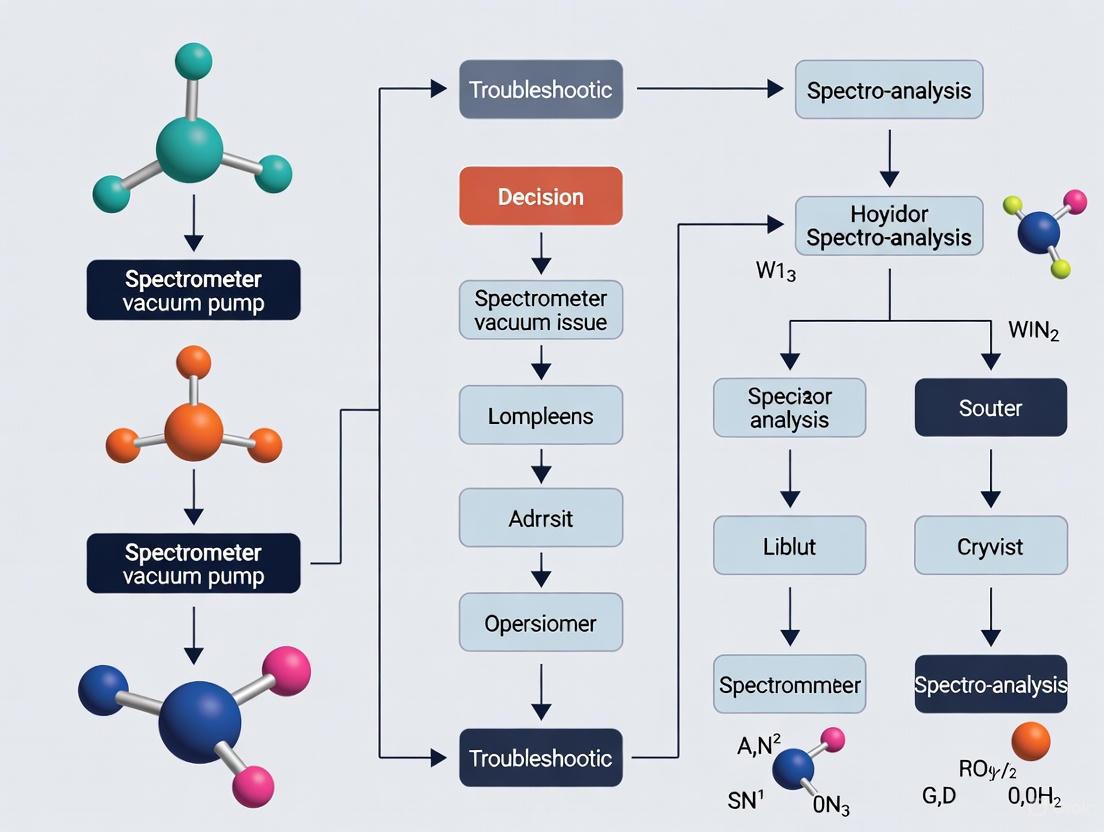
This guide provides researchers, scientists, and drug development professionals with a comprehensive framework for understanding, troubleshooting, and optimizing spectrometer vacuum pump systems.
Spectrometer Vacuum Pump Troubleshooting: A Complete Guide for Research and Pharma Professionals
Abstract
This guide provides researchers, scientists, and drug development professionals with a comprehensive framework for understanding, troubleshooting, and optimizing spectrometer vacuum pump systems. It covers foundational principles, common failure symptoms like inaccurate carbon/phosphorus readings, step-by-step diagnostic procedures, and advanced optimization strategies. The article also explores future vacuum technologies and their implications for high-precision analytical work in biomedical and clinical research, ensuring data integrity and instrument reliability.
Understanding Your Spectrometer's Vacuum Pump: Why It's Critical for Accurate Results
The Role of Vacuum in Optical Emission Spectrometry (OES)
Troubleshooting Guides
Common OES Vacuum System Faults and Solutions
The vacuum system is a critical component of an Optical Emission Spectrometer. The table below summarizes common vacuum-related faults, their symptoms, and solutions [1] [2].
| Problem | Symptoms & Indicators | Solutions |
|---|---|---|
| Poor Vacuum / Pump Malfunction | Constant low readings for C, P, S; Pump is hot, loud, smoking, or leaking oil; Loss of low wavelength intensity [2]. | Check and replace pump oil; Ensure pump starts automatically; Contact service provider for pump inspection or replacement [1] [2]. |
| Exhaust Not Smooth/Blocked | Restricted argon flow; Possible impact on spark chamber environment [1]. | Replace blocked exhaust pipe; Purge exhaust pipe regularly; Check for foreign objects in spark chamber elbows or argon filter inlets [1]. |
| Rapid Vacuum Drop | Vacuum value decreases quickly; Vacuum curve is not smooth [1]. | Check the tightness of the vacuum chamber cover; Replace the sealing ring or diagonally tighten the screws [1]. |
| Contaminated Optic Chamber | Drifting analysis results; Poor reproducibility; Unstable data for low-wavelength elements [1] [2]. | Clean the vacuum optical path lens; Perform re-standardization after cleaning [1]. |
| Low Light Intensity | General decrease in signal intensity; Can lead to incorrect analysis results [1]. | Clean the excitation table and spark chamber; Check and clean the entrance slit; Inspect fiber optic for potential aging [1]. |
Experimental Protocol: Systematic Vacuum System Check
This protocol provides a methodology for diagnosing vacuum system issues [3].
1. Visual Inspection:
- Objective: Identify obvious physical defects.
- Procedure:
- Inspect the entire path from the excitation point back to the vacuum pump.
- Ensure all fittings, tubing, and hoses are securely connected. Even small leaks are highly detrimental in vacuum systems [3].
- Check for any signs of blockages or kinks in the lines. The use of clear hose is recommended for easier inspection [3].
- Inspect the pump inlet filters for clogging and clean or replace them as needed [3].
2. Vacuum Level Measurement:
- Objective: Isolate the section of the system causing the problem.
- Procedure:
- If possible, measure the vacuum level at two points: near the excitation point (or optic chamber) and at the vacuum pump itself [3].
- Interpretation of Results:
- Both gauges show similar, low vacuum levels: This indicates the pump is not working correctly or there is excessive leakage throughout the entire system [3].
- Gauge at pump shows high vacuum, but gauge near excitation point shows low vacuum: This indicates a flow restriction or significant leakage between the two measurement points [3].
- Both gauges show similar, adequate vacuum levels: The problem likely lies at the excitation point itself (e.g., a poor seal) or with the fundamental design of the system for the current application [3].
3. Vacuum Pump Performance Verification (Deadhead Test):
- Objective: Confirm the vacuum pump is functioning according to its specifications.
- Procedure:
- Block the vacuum inlet port of the pump (after the vacuum gauge).
- Turn on the pump and check the maximum vacuum level it achieves.
- This reading should closely match the performance data provided by the pump manufacturer. A significant difference indicates the pump requires maintenance or replacement [3].
4. Leak Detection:
- Objective: Locate the source of air ingress.
- Procedure:
- For systems that can maintain a moderate vacuum, use a non-damaging smoke or water mist around potential leak points (fittings, seals, joints) while the vacuum is on. The vacuum will draw the smoke or mist into the leak, making it visible [3].
- For mass spectrometer vacuum systems, a common method is to use a tracer gas like chlorodifluoromethane (found in "dust-off" aerosols) or sulfur hexafluoride (SF6). While monitoring the mass spectrum for the tracer gas's characteristic peak (e.g., m/z 51/67 for chlorodifluoromethane, m/z 127 for SF6), spray short bursts around suspected leak points. A spike in the signal indicates a leak [4].
Frequently Asked Questions (FAQs)
Q1: Why is a vacuum necessary in the optical chamber of an OES? A vacuum is required to purge the optic chamber of atmospheric gases. This allows low-wavelength light (such as ultraviolet) to pass through unimpeded. Low wavelengths cannot effectively pass through a normal atmosphere, and their loss would lead to incorrect values for critical elements like Carbon, Phosphorus, Sulfur, and Nitrogen [2].
Q2: What are the key signs that my OES vacuum pump needs maintenance? Key warning signs include consistently low analytical results for carbon, phosphorus, and sulfur; the pump being hot to the touch, extremely loud, or making gurgling noises; and any visible smoke or oil leaks from the pump. Oil leaks require immediate attention [2].
Q3: My data for low-wavelength elements is unstable. Could the vacuum be the cause? Yes. Instability or poor reproducibility for elements like C, P, and S is a classic symptom of a vacuum problem. Contamination of the optical path lens due to poor vacuum maintenance is a common cause. The solution is to clean the vacuum optical lens and then re-standardize the instrument [1].
Q4: How does a dirty lens affect my OES results, and how is it related to vacuum? Dirty lenses (in front of the fiber optic or in the direct light pipe) cause instrument analysis to drift, leading to poor and unstable results. This necessitates more frequent recalibration. While lens contamination is a separate maintenance issue from vacuum integrity, both can cause similar symptoms of data drift, and the vacuum chamber lens is particularly prone to contamination if the vacuum environment is compromised [2].
Q5: What regular maintenance can I perform to prevent vacuum issues? Regular maintenance is the best prevention [5]. This includes:
- Daily: Checking oil levels (for oil-filled pumps), listening for unusual noise, and checking for excessive vibration or leaks [5].
- Scheduled: Performing regular maintenance and servicing of the pump and its filters as recommended by the manufacturer [5]. This also includes regularly cleaning the excitation table and spark chamber to prevent leakage and discharge that can affect light intensity [1].
The Scientist's Toolkit: Research Reagent Solutions
The following table details key materials and reagents used in the maintenance and troubleshooting of OES vacuum systems [1] [4] [2].
| Reagent/Material | Function in OES Vacuum Context |
|---|---|
| High-Purity Argon | Provides an inert atmosphere for clean sample excitation in the spark chamber. Contaminated argon leads to white, milky burns and unstable or inconsistent results [2]. |
| Tracer Gas (e.g., Chlorodifluoromethane, SF6) | Used for pinpointing leaks in the vacuum system. The gas is sprayed around fittings while the mass spectrometer (if part of the system) monitors for its characteristic mass peak [4]. |
| Appropriate Pump Oil | Essential for the proper operation and lubrication of oil-sealed rotary vane vacuum pumps. Using the incorrect or degraded oil can lead to pump failure and poor vacuum [1] [5]. |
| Lens Cleaning Solvents & Supplies | Specialized solvents and lint-free wipes are used to clean the optical windows and lenses in the vacuum path. Dirty lenses cause drifting analysis and poor results [1] [2]. |
| Vacuum Sealing Grease (e.g., Apiezon L) | A low vapor pressure lubricant applied in a very light film to O-rings (e.g., Viton) during reassembly to ensure a perfect seal and prevent leaks [4]. |
| Replacement Seals & Gaskets | Critical spare parts for maintaining vacuum integrity. Metal gaskets (copper, gold) should typically be replaced upon resealing, while elastomer seals (Viton) should be inspected and lubricated [4]. |
This technical support center resource is framed within a broader thesis on troubleshooting vacuum pump issues in spectrometers. For researchers and drug development professionals, maintaining an optimal vacuum is not merely a procedural step but a foundational requirement for instrument integrity and data accuracy. This guide provides targeted, actionable troubleshooting protocols for the three primary vacuum pump types—rotary vane, diaphragm, and turbomolecular—found in mass spectrometry systems. The following sections offer detailed FAQs and diagnostic workflows to facilitate rapid identification and resolution of common vacuum failures, minimizing instrumental downtime in critical research operations.
Troubleshooting Guides
Diaphragm Pump Troubleshooting
Diaphragm pumps often serve as the roughing pumps in spectrometer vacuum systems. Issues here can prevent the high-vacuum pumps from starting.
Common Failure Modes and Solutions
| Problem | Possible Cause | Solution |
|---|---|---|
| Pump fails to start | Power failure; Voltage drop; Locked connecting rod; Thermal protector activated [6] | Check power supply & switch; Disassemble pump head to check interior; Let pump cool down [6] |
| Abnormal noise | Damaged bearing; Damaged diaphragm; Damaged motor [6] | Replace bearing; Replace diaphragm; Replace or repair motor [6] |
| Performance degradation | Damaged diaphragm or valves; Clogged air filter; Leak in intake pipe; High ambient temperature [6] | Replace diaphragm & valves; Clean or replace air filter; Repair pipe leak; Ensure ambient temp is 7–40°C [6] |
| Excessive oil consumption | Broken diaphragm(s) [7] | Replace all diaphragms and oil [7] |
| Irregular pressure | Air suction in suction line; Incorrect pulsation dampener setting [7] | Inspect & secure all pipes/fittings; Reset dampener pressure [7] |
Experimental Protocol: Testing for a Damaged Diaphragm
- Safety Isolation: Disconnect the pump from all power and the spectrometer system.
- Visual Inspection: Disassemble the pump head according to the manufacturer's instructions to access the diaphragm.
- Condition Assessment: Inspect the diaphragm for lacerations, cracks, semi-circular cuts, or chemical swelling as described in the troubleshooting guide [7].
- Replacement: If damage is found, replace the diaphragm and the pump oil, as fluid from the pumping chamber may have contaminated it [7].
- Leak Check: After reassembly, perform a system leak check by monitoring the rough vacuum pressure to ensure it reaches and holds the expected level.
Rotary Vane Pump Troubleshooting
Rotary vane pumps are another common type of roughing pump. Their performance is critical for achieving the necessary foreline vacuum for turbomolecular pumps.
Common Failure Modes and Solutions
| Problem | Possible Cause | Solution |
|---|---|---|
| Poor ultimate vacuum | Low/contaminated oil; External air leak; Worn vanes, pump body, or lining; Pump temperature too high [8] | Add/replace oil; Locate & fix leak; Check, trim, or replace parts; Improve cooling [8] |
| Oil leakage | Damaged/improperly assembled oil drain plug or tank gasket; Loose oil sight glass; Loose connecting screws [8] | Tighten, adjust, or replace gaskets/plugs; Tighten sight glass; Check & tighten all screws [8] |
| Abnormal noise | Broken rotary spring; Burrs, dirt, or deformed parts; Worn bearing; Motor issues [8] | Replace spring; Check, clean, or deburr; Repair or replace bearing; Inspect motor [8] |
| Oil return | Malfunctioning check valve; Worn pump cover oil seal; Damaged exhaust valve [8] | Disassemble and inspect check valve; Replace oil seal; Replace exhaust valve [8] |
Experimental Protocol: Checking and Changing Pump Oil
- Operate for Sampling: Run the pump for approximately 30 minutes to warm and thin the oil [8].
- Drain Oil: Stop the pump and drain the used oil via the oil drain hole [8].
- Flush (Optional): If the expelled oil is particularly dirty, open the air inlet and run the pump for 10-20 seconds. Slowly add a small amount of clean pump oil into the suction port during this time to flush remaining residue [8].
- Refill: Add fresh, manufacturer-recommended vacuum pump oil until the level is at the midpoint of the sight glass [8].
- Verify Performance: Start the pump and monitor its achieved ultimate pressure to confirm performance restoration.
Turbomolecular Pump Troubleshooting
Turbomolecular pumps (TMPs) create the high vacuum in the mass analyzer. They cannot operate without a properly functioning roughing pump.
Common Failure Modes and Solutions
| Problem | Possible Cause | Solution |
|---|---|---|
| TMP fails to start | Foreline vacuum not achieved; Faulty bearing; Electrical communication fault [9] [10] | Check rough pump & for leaks; Contact service; Check power board/sensor [9] [10] |
| TMP shuts down during operation | Power interruption; High system leak; Blocked foreline; Bearing failure [11] [9] | Check power connection; Perform leak check; Inspect foreline for blockages; Service pump [11] [9] |
| Poor high vacuum | Large air/water leak; Contaminated vacuum system; Dirty or damaged pump [12] | Perform leak check; Clean vacuum vessel & components; Service pump [12] |
| High noise/vibration | Imbalance from foreign object damage; Bearing wear [9] | Stop pump immediately; Contact qualified service technician |
Experimental Protocol: Isolating a High-Vacuum Leak
- Initial Check: Ensure the roughing pump is operating correctly and achieving its typical foreline pressure.
- Isolate the TMP: Close the valve between the TMP and the spectrometer chamber.
- Check TMP Ultimate Pressure: Allow the TMP to run. If it reaches its normal high vacuum alone, the leak is in the spectrometer chamber or the connecting piping.
- Perform a Pressure Rise Test: Isolate the spectrometer chamber (with the TMP valve closed) and monitor the pressure. A rapid rise indicates a significant leak or virtual leak from contamination [12].
- Leak Detection: With the system under rough vacuum, use a can of diagnostic gas (e.g., Dust-Off) and gently spray around all seals, fittings, and the chamber door. In the manual tune, watch for a sudden spike in the signal (especially at m/z 18 for water, 28 for nitrogen, 32 for oxygen), which pinpoints the leak location [10].
The Scientist's Toolkit: Essential Research Reagent Solutions
| Item | Function |
|---|---|
| Isopropyl Alcohol (≥99%) | High-purity solvent for cleaning metal vacuum components without leaving residue [13]. |
| Lint-Free Wipes | For cleaning components without introducing particulate contamination [13]. |
| Apiezon L Vacuum Grease | Specific grease for lubricating O-rings on vacuum flanges to ensure proper sealing [9]. |
| Compressed Gas Duster | Used as a leak detection probe by spraying around seals while monitoring system pressure [10]. |
| Liquid Nitrogen | For filling cold traps to condense volatile contaminants, helping to diagnose and eliminate contamination [12]. |
| Vacuum Pump Oil | High-performance fluid for rotary vane pumps, providing lubrication and creating a sealing barrier [8]. |
| Ultrasonic Cleaner | For thoroughly cleaning small, intricate vacuum components like valves and fittings [13]. |
| Helium Leak Detector | Professional tool for locating very small vacuum leaks that are difficult to find with other methods. |
Frequently Asked Questions (FAQs)
Q1: Why is a vacuum critical inside a mass spectrometer? A vacuum is essential for three primary reasons: 1) It prevents ions from colliding with gas molecules, which would scatter them and cause signal loss or inaccurate mass readings [14]; 2) It enables high resolution and sensitivity by allowing predictable ion trajectories through electric and magnetic fields [14]; 3) It protects sensitive internal components from contamination and damage, thereby extending the instrument's lifespan [14].
Q2: What should I do immediately after a power failure to protect my spectrometer's vacuum system? If the pump stops while under vacuum, a significant pressure differential can make restarting difficult [6]. First, do not attempt to restart the pump without first breaking the vacuum. Open the vent valve to return the pump chamber to atmospheric pressure; this will allow for a smooth restart and prevent overcurrent damage to the motor [6]. For systems with a rotary vane roughing pump, be aware of the risk of oil backstreaming into the mass spectrometer manifold; placing the rough pump lower than the MS or using a foreline trap can mitigate this [11].
Q3: My turbomolecular pump (TMP) won't start, and the error points to the foreline. What are the first checks? The TMP requires a sufficient foreline vacuum (typically ~10⁻² to 10⁻³ mbar) to start. First, verify that your roughing pump (rotary vane or diaphragm) is operating and sounds normal. Next, check the foreline pressure reading. If the pressure is too high, inspect the foreline path for leaks or blockages. A common culprit is a failed O-ring on a connection or access door [9] [10].
Q4: How often should I maintain my rough vacuum pump? Maintenance frequency depends on usage, but a general guideline is:
- Rotary Vane Pumps: Check oil level before each use. Change oil every 100 hours of operation or every 6 months to a year, and inspect vanes during oil changes [8].
- Diaphragm Pumps: Perform a visual inspection of diaphragms and valves every 300 hours or at least annually. Replace diaphragms at the first sign of wear or damage [7] [15].
Q5: The vacuum gauge reads a poor ultimate pressure. How can I tell if the problem is a leak or pump contamination? You can perform a simple test using a cold trap. Pump down the system and note the pressure. Then, insert a cold trap filled with liquid nitrogen into the line between the pump and the chamber. If the pressure drops abruptly (e.g., by an order of magnitude or more), it strongly indicates the system is contaminated with condensable vapors. If the pressure remains unchanged, a leak is the more likely cause [12].
Diagnostic Workflow and System Relationships
The diagram below visualizes the logical troubleshooting process for a high vacuum failure in a mass spectrometer.
Troubleshooting High Vacuum Failures
Scientific Background and Importance
The Vacuum Ultraviolet (VUV) Region
In optical emission spectrometry, the analysis of light elements—particularly carbon (C), phosphorus (P), and sulfur (S)—requires measurement in the short ultraviolet spectral region, specifically the vacuum ultraviolet (VUV) [16] [17]. Atmospheric gases (primarily oxygen and water vapor) strongly absorb light in this wavelength range. To obtain accurate analytical data for these elements, the optical path must be maintained under a high vacuum to prevent signal absorption and ensure light reaches the detector [17]. A vacuum system failure directly compromises the quality of analysis for C, P, and S.
Quantitative Analysis Performance
Laser-induced breakdown spectrometry (LIBS) with multiple pulse excitation has been successfully applied for the multielemental analysis of liquid steel, with a specific focus on C, P, and S using emission wavelengths in the VUV [16]. Calibration curves for these elements have been established, and the estimated limits of detection for direct analysis of liquid steel are below 21 µg/g for each of these light elements [16]. This demonstrates the critical importance of a stable vacuum for achieving low detection limits in process-integrated online analysis.
Troubleshooting Guides
Vacuum Pump Cannot Pump Down
Reported Symptom: The vacuum pump can only reach 20–30 Torr and will not pump down further, affecting analysis of C, P, S [17].
Diagnostic Procedure:
- Isolate the Vacuum Chamber: Close the vacuum valve. If the vacuum level is maintained, the chamber is sealed, and the failure is likely a faulty vacuum probe thermistor [17].
- Test Chamber Integrity: With the vacuum at 20–30 Torr, close the vacuum pump valve. If the vacuum drops rapidly, the vacuum chamber seal is faulty [17].
- Inspect Pump Oil: If the system fails to pump down after many hours, check the vacuum pump oil for water vapor, indicating wet molecular sieve contamination [17].
Resolution:
- Probe/Gauge Failure: Replace the vacuum probe or fine-tune the calibration resistor on the vacuum gauge to approximately 1 Torr [17].
- Chamber Leak: Reseal the vacuum chamber. This involves: a. Venting the chamber slowly to avoid contaminating the optics [17]. b. Sealing the grating cover 'O' ring with minimal vacuum grease [17]. c. Sealing the incident window and the incident slit connection [17]. d. Resealing the photomultiplier tube cable socket holders [17]. e. After resealing, pump down for 30–40 minutes; if the vacuum does not approach 100 Torr after 1 hour, resealing is needed [17].
- Contaminated Molecular Sieve: Heat the collector's molecular sieve to remove water vapor [17].
Vacuum Pumps Do Not Start (Mass Spectrometry)
Reported Symptom: After a power outage or system restart, the vacuum pumps do not start, and the instrument status shows "No Instrument" [18].
Cause: The user did not allow sufficient time for the mass spectrometer's embedded PC to initialize before launching the operating software (e.g., MassLynx). The embedded PC must download its OS and check hardware before accepting commands [18].
Resolution:
- Close the instrument control software [18].
- Press the hardware RESET button on the mass spectrometer using a piece of PEEK tubing [18].
- Alternative for vented instruments: Power cycle the entire MS unit to reboot its electronics [18].
- Wait at least three minutes for the MS to complete its initialization sequence [18].
- Reopen the control software and initiate pumping from the vacuum menu [18].
Error Code: Vacuum Too High to Start Turbo Pump
Reported Symptom: Midway through analysis, argon gas is depleted, and an error code appears: "11011: Vacuum (IF/BK) time out, vacuum too high to start turbo pump" [19]. The error persists after a full system restart.
Cause: The loss of argon pressure may have prevented the automatic closure of a gate valve that separates the atmospheric pressure region from the high-vacuum chamber [19].
Diagnostic and Resolution:
- Inspect the Gate Valve: Remove the cones and lens assembly. Visually inspect if the gate valve is closed. A closed valve should appear as a "silvery black wall" [19].
- Seek Remote Support: If the valve is stuck, contact technical service. An engineer may be able to operate the valve remotely via software (e.g., MassHunter Service interface) if they have remote access to your PC [19].
- Check Consumables: The error can also be related to worn graphite gaskets, incorrect cone dimensions, or damaged O-rings. Inspect and replace these consumables as necessary [19].
Frequently Asked Questions (FAQs)
Q1: Why does my vacuum spectrometer require a specific vacuum level for analyzing Carbon, Phosphorus, and Sulfur? A1: These elements have their most sensitive analytical emission spectral lines in the Vacuum Ultraviolet (VUV) region below 190 nm. Air components (oxygen and water vapor) absorb light in this range. A high vacuum in the optical path is essential to prevent this absorption and allow for accurate measurement [16] [17].
Q2: What are the typical symptoms of a vacuum leak in my spectrometer? A2: Common indicators include [4]:
- Higher than normal ultimate (base) vacuum pressure.
- Elevated levels of background signals for m/z 18 (water), m/z 28 (nitrogen), and m/z 32 (oxygen) in a mass spectrometer.
- A characteristic 4:1 ratio of nitrogen (m/z 28) to oxygen (m/z 32) in the background spectrum.
- Poor analytical sensitivity, especially for high-mass ions and the specific elements C, P, S.
- In an optical emission spectrometer, the vacuum gauge fails to drop below 20-30 Torr [17].
Q3: What methods can I use to find a vacuum leak? A3: A systematic approach is recommended [4]:
- Mass Spectrometer as a Leak Detector: Use the instrument itself to monitor for tracer gases. While watching specific masses, spray a short burst of a tracer gas like chlorodifluoromethane (look for m/z 51, 67) or sulfur hexafluoride, SF₆ (look for m/z 127 or 146) around fittings and seals. A spike indicates a leak [4].
- Solvent Test: For larger leaks, use a high-vapor-pressure solvent like acetone on a cold flange and watch for a response on a vacuum gauge. Caution: Acetone is highly flammable. Do not use near hot components. [4]
- Helium Leak Detector: The most sensitive method. A portable helium leak detector (e.g., Veeco MS-20) can be connected to the vacuum system to precisely locate even very small leaks [4].
Q4: How can I prevent vacuum leaks in my system? A4: Proactive maintenance is key [4]:
- Replace Gaskets: Replace metal gaskets (copper, gold) each time you reopen a flange, or as recommended by the manufacturer.
- Lubricate O-Rings: Apply a light film of low vapor pressure vacuum grease (e.g., Apiezon L) to Viton O-rings before assembly.
- Avoid Damage: Keep flange surfaces clean and be careful not to nick the knife edges on Conflat-type flanges.
- Avoid Overtightening: Be cautious not to overtighten compression fittings (e.g., Swagelok), as this can damage ferrules.
Q5: My vacuum pump is running, but the pressure is not improving. What should I check? A5:
- Chamber Integrity: Follow the guide in section 2.1 to determine if the issue is with the vacuum chamber seals or the pump/gauges themselves [17].
- Virtual vs. Real Leak: A "virtual leak" is caused by outgassing from too much solvent/sample or contaminated surfaces, not an atmospheric leak. Baking the system may be required, whereas leak-checking gases will not help [4].
- Mechanical Pump Condition: Check the foreline (roughing) pump oil. If you see a lot of water vapor or the oil is discolored, the oil may be contaminated and require changing [17].
Research Reagent Solutions and Materials
Table 1: Key Reagents and Materials for Vacuum System Maintenance and Leak Detection
| Reagent/Material | Function/Application | Key Considerations |
|---|---|---|
| Chlorodifluoromethane | Tracer gas for leak detection using the mass spectrometer itself. Monitored at m/z 51 and 67 [4]. | Use "environmentally safe dust-off" aerosols. Apply in short bursts. |
| Sulfur Hexafluoride (SF₆) | Tracer gas for leak detection, especially effective in EI/PCI (m/z 127) or NCI (m/z 146) modes [4]. | Effective for locating very small leaks. |
| Argon Gas | Tracer gas for leak detection on instruments tuned to monitor m/z 40 [4]. | A common, safe gas to use. |
| Apiezon L Grease | Low vapor pressure lubricant for vacuum O-rings (e.g., Viton) [4]. | Prevents O-rings from tearing during assembly. Do not use on GC injection port seals. |
| Vacuum Pump Oil | Lubricant and sealant for mechanical roughing pumps. | Check for water contamination (milky appearance) if vacuum performance degrades [17]. |
| Molecular Sieve | Adsorbent used in collectors to trap water vapor and maintain vacuum quality [17]. | Requires periodic heating to drive off absorbed water and regenerate. |
| PTFE Ferrules | Sealing ferruls for compression fittings in heated zones [4]. | More forgiving than pure Vespel ferrules during thermal cycling. |
Experimental Protocol: Vacuum Chamber Resealing
The following workflow details the critical steps for resealing a vacuum chamber, a common procedure to resolve vacuum failures that impact C, P, and S analysis [17].
Figure 1: Vacuum chamber resealing workflow for optical emission spectrometers.
In mass spectrometers and optical emission spectrometers, the vacuum system is a foundational component. Its proper function is essential for achieving accurate analytical results, particularly for elements in the short ultraviolet spectral region like carbon, phosphorus, and sulfur [17]. The system minimizes ion-molecule collisions, prevents ion scattering and neutralization, and protects sensitive components [20]. A failing vacuum system manifests through a range of symptoms, from gradual performance drift to a complete inability to establish vacuum. Recognizing these signs early is key to maintaining instrument integrity and data quality.
FAQs: Common Questions on Vacuum System Failures
Q1: What are the most common early warning signs of vacuum pump problems? The most common early warnings include a gradual decrease in the ultimate vacuum level, an increase in pump-down time to reach the desired pressure, and a noticeable rise in operating noise or vibration [21] [22].
Q2: My vacuum pump is making unusual noises. What could be wrong? New or recently serviced pumps may produce high-pitched screeching from vane break-in, which should subside within 24-48 hours [23]. Persistent or new noises like chattering, clicking, or increased vibration often indicate mechanical wear, such as worn or cupped vanes, bearing failures, or "washboarding" of the cylinder wall [23] [22].
Q3: Why won't my mass spectrometer's vacuum pumps turn on after a power outage? This is a normal safety feature for some instruments. After a power failure, vacuum pumps may not start automatically and must be manually initiated from the Tune page of the instrument control software [24].
Q4: Can a vacuum pump overheat, and what causes it? Yes, overheating is a common symptom. Causes can include a low oil level, using the wrong oil type, motor overload, poor ventilation, electrical problems, or contamination causing internal resistance [21] [22] [25].
Q5: What does it mean if I see oil misting from the pump's exhaust? Oil misting typically indicates the pump is running at a less-than-optimal vacuum level (often below 20”Hg), a saturated or clogged oil separator, or a blocked float chamber or scavenger line [23].
Symptoms and Troubleshooting Guide
Vacuum system failures can be systematic. The following table outlines common symptoms, their possible causes, and immediate troubleshooting actions.
Table 1: Symptom and Troubleshooting Guide for Vacuum Systems
| Symptom | Possible Causes | Troubleshooting Actions |
|---|---|---|
| Insufficient Vacuum Level [17] [22] [25] | System leaks, contaminated pump, damaged mechanical seal, sticking or worn vanes, faulty vacuum gauge. | Check for leaks, inspect and clean filters, verify mechanical seal, measure vane wear. |
| Increased Noise & Vibration [23] [22] | Worn or cupped vanes, bearing failure, "washboarding" of cylinder, cavitation (in liquid ring pumps). | Inspect vanes and bearings for wear, check power supply voltage, clean pump internals. |
| Extended Pump-Down Time [21] [26] | Contaminated system or pump, restricted pumping line, undersized pump. | Check for contamination, verify line conductance, ensure pump capacity matches the application. |
| Overheating [21] [25] | Motor overload, poor ventilation, low oil level, wrong oil type, blockage in exhaust. | Check oil level and type, ensure ventilation openings are clear, inspect for exhaust blockages. |
| Oil Misting from Exhaust [23] | Pump running at low vacuum, saturated oil separator, clogged float chamber/scavenger line. | Check for inlet leaks, replace oil separator, inspect and clean float chamber and lines. |
| Pump Will Not Start [24] [21] | Blown fuses, incorrect voltage, tripped breaker, internal obstruction. | Check and replace fuses, verify voltage matches motor configuration, check for internal contact. |
| High Background in Mass Spectrometer [4] | Air leak (shows high m/z 18, 28, 32, 40), virtual leak (outgassing). | Perform air/water check, use tracer gas to locate leaks, clean or bake out the source. |
Quantitative Data for Performance Assessment
Monitoring specific operational parameters can help quantify performance degradation. The table below lists key metrics and their normal versus warning ranges.
Table 2: Quantitative Operational Parameters for Vacuum Systems
| Parameter | Normal Operating Range | Warning/Unacceptable Range | Notes |
|---|---|---|---|
| Mass Spec Analyzer Pressure [20] | 10-5 to 10-7 Torr | > 10-5 Torr | Pressure critical for ion transmission. |
| Rough Vacuum Pressure [20] | ~10-3 Torr | > 0.1 Torr | Pressure before high-vacuum pump engagement. |
| Air/Water Background (Tight MS) [4] | m/z 28 < m/z 18 | m/z 28 ≈ m/z 18; m/z 40 & 44 visible | Indicator of a leak in a mass spectrometer. |
| Oil Lubricated Pump Vacuum [23] | 20-29 "Hg | < 20 "Hg | Running below 20 "Hg can cause oil misting. |
| Impeller/Distribution Board Clearance [25] | 0.15-0.20 mm | > 0.20 mm | Affects pump efficiency in liquid ring pumps. |
Experimental Protocols for Diagnosis
Protocol 1: Systematic Leak Checking in a Mass Spectrometer
Objective: To locate and identify real (atmospheric) leaks in a mass spectrometer vacuum system.
- Principle: A tracer gas (e.g., chlorodifluoromethane, SF6, Argon) is sprayed around potential leak points. The gas enters the vacuum system and is detected by the mass analyzer, causing a rapid increase in the tracer's characteristic mass-to-charge (m/z) ratio [4].
- Materials:
- Tracer gas can (e.g., dust removal aerosol containing chlorodifluoromethane).
- Plastic pipette tips or a nozzle for localized application.
- Methodology:
- Verification: Confirm a real leak exists. With the instrument operational, check the background mass spectrum. A nitrogen (m/z 28) to oxygen (m/z 32) ratio of ~4:1, along with significant m/z 40 (Argon), indicates air ingress [4].
- Preparation: Enter the manual tune mode of the mass spectrometer. Set the instrument to monitor the characteristic ion of your chosen tracer gas (e.g., m/z 51 and 67 for chlorodifluoromethane) [4].
- Detection: Spray short, controlled bursts of tracer gas onto external vacuum components, starting with the most recently serviced areas (e.g., column inlet, flanges, seals, valves). Allow a few seconds after each spray for the gas to be detected.
- Identification: A sharp rise in the signal of the tracer ion indicates the location of the leak. For very small leaks, use a plastic pipette tip to apply the gas to a very small area and be patient [4].
- Safety Notes: Use flammable tracers like acetone with extreme caution, especially on hot components [4].
Protocol 2: Diagnosing Insufficient Vacuum in an Optical Emission Spectrometer
Objective: To isolate the cause of a vacuum pump's inability to pump below 20-30 Torr in an optical emission spectrometer [17].
Principle: A structured sequence of tests to determine if the fault lies with the vacuum gauge, the vacuum chamber seals, or the pump and its consumables.
Table 3: Research Reagent Solutions for Vacuum System Maintenance
| Item | Function/Application | Example in Protocol |
|---|---|---|
| Tracer Gases | Used to locate minute leaks in the vacuum system. | Chlorodifluoromethane (m/z 51, 67), SF6 (m/z 127/146), Argon (m/z 40) [4]. |
| High-Vapor Pressure Solvent | Alternative leak-checking fluid; causes a rapid pressure rise when it enters a leak. | Acetone (Use with caution due to flammability) [4]. |
| Vacuum Grease | Low vapor pressure lubricant for elastomer seals to ensure a proper seal and prevent damage. | Apiezon L [4]. Applied sparingly to 'O'-rings during reassembly [17]. |
| Liquid Nitrogen | Creates a cold trap to freeze out vapors, helping to distinguish between a real air leak and system contamination. | Used to fill a cold trap; a pressure drop indicates contaminant vapors [26]. |
| Flushing Oil / Solvent | Cleans thick, contaminated oil or vane debris from the internal workings of oil-lubricated pumps. | Used to free stuck vanes and improve oil flow [23]. |
Workflow:
- Test the Vacuum Gauge:
- Test the Chamber Seal:
- With the vacuum at 20-30 Torr, close the vacuum pump valve. If the chamber pressure rapidly decreases, the chamber sealing is faulty [17].
- Action: Slowly vent the chamber and reseal all 'O'-rings and gaskets, ensuring they are clean and properly seated with a light application of appropriate vacuum grease [17].
- Inspect the Pump and Consumables:
Diagram 1: Diagnostic workflow for a vacuum pump that cannot achieve low pressure.
The Scientist's Toolkit: Maintenance and Prevention
Preventative maintenance is the most effective strategy for avoiding unplanned downtime.
- Regular Inspection and Cleaning: Periodically check filters, oil level/condition, and bearings. Clean the pump internals to remove debris and vane dust [23] [25].
- Seal and Bearing Care: Replace mechanical seals and 'O'-rings during service. Lubricate bearings as recommended by the manufacturer to ensure smooth operation [25] [4].
- Proper Operational Procedures: Always ensure motor wiring matches the voltage supply and that rotation direction is correct. For flanges, replace metal gaskets when reassembling and use a light film of vacuum grease on elastomer seals [23] [4].
- System-Specific Practices: Be aware that for mass spectrometers, a routine "air and water check" can provide an early warning of developing leaks before they significantly impact performance [4].
Consequences of Vacuum Failure on Data Integrity in Pharmaceutical Analysis
Technical Support Center: Troubleshooting Guides and FAQs
In pharmaceutical analysis, instruments like optical emission spectrometers and mass spectrometers rely on high vacuum to generate accurate and reliable data. Vacuum failure can directly compromise data integrity, leading to serious regulatory consequences such as FDA Form-483 observations and warning letters [27]. This technical support center provides targeted troubleshooting guides and FAQs to help researchers and scientists maintain instrument integrity and ensure data compliance with ALCOA+ principles.
Troubleshooting Guide: Common Vacuum Failure Symptoms and Solutions
The table below summarizes common vacuum pump failure signs, their impact on data integrity, and immediate corrective actions.
| Symptom | Potential Cause | Impact on Data Integrity | Corrective Action |
|---|---|---|---|
| Inability to Reach Operating Vacuum [17] | Vacuum chamber leaks, failed vacuum probe thermistor, contaminated pump oil [28] [29]. | Erroneous analysis of elements like Carbon (C), Phosphorus (P), and Sulfur (S) in short UV wavelength [17]. | Check and reseal vacuum chamber, replace vacuum probe, inspect and change pump oil [17] [28]. |
| Excessive Noise from Pump [28] [29] | Worn or broken vanes, mechanical failure, internal corrosion [28] [29]. | Potential for unexpected shutdown, leading to loss of analytical run and incomplete data sets [30]. | Shut down pump; inspect and replace vanes or bearings; check for mechanical wear [29]. |
| Slow Pump-Down Rate [28] | Contamination in valves or chamber, worn consumable parts, clogged inlet filter [28] [29]. | Longer processing times can delay batch release decisions and risk missing data review deadlines [28]. | Clean or replace inlet filters, inspect and clean vacuum valves, check vanes for wear [29]. |
| Oil Misting or Carbon Dust from Exhaust [29] | Failing oil separator, contaminated oil, or severe vane failure [29]. | Contamination can lead to gradual performance degradation, causing unnoticed data drift over time [31]. | Replace oil and oil separator filters; inspect and replace damaged vanes [29]. |
| Pump Overheating [28] | Poor ventilation, incorrect voltage, internal friction from failing parts [28]. | Overheating can cause automatic shutdown, corrupting electronic data files and audit trails [28] [30]. | Ensure proper ventilation, check motor voltage, and inspect for internal mechanical issues [28]. |
Detailed Experimental Protocol: Vacuum System Integrity Check
This methodology is critical for investigating suspected vacuum failure and its impact on analytical results, ensuring data generated is attributable, legible, contemporaneous, original, and accurate (ALCOA+) [30].
1. Pre-Experiment Setup and Safety
- Personal Protective Equipment (PPE): Wear safety glasses and nitrile gloves.
- Data Integrity Pre-Check: Verify that your user credentials are unique and that audit trails are enabled on the spectrometer's data system to ensure all actions are recorded [30].
- Materials: The vacuum gauge reading, a soft-head screwdriver for fine-tuning (if applicable), and appropriate vacuum grease.
2. Procedure: Isolating the Fault
- Step 1: Initial Assessment. Close the vacuum valve isolating the pump from the main chamber. Monitor the vacuum gauge reading inside the chamber [17].
- Step 2: Chamber Re-sealing Protocol.
- Power down the instrument and follow controlled inlet procedures to re-pressurize the chamber slowly, avoiding contamination from dust particles [17].
- Open the vacuum chamber and meticulously inspect all
O-rings on grating covers, incident windows, and cable feed-throughs. Replace any that are cracked, brittle, or damaged [17]. - Re-seal the chamber, applying a thin layer of vacuum grease sparingly to the
O-rings. Ensure quartz windows are installed in the correct orientation [17]. - Close the relief valve and restart the vacuum pump. Pump for 30-40 minutes and check if the vacuum reaches the required level (e.g., near 100 Torr for a roughing pump). If not, re-check the seals [17].
- Step 3: Vacuum Gauge Calibration.
- If the pump is operational but readings are inaccurate, the vacuum probe or gauge may be faulty. For specific models (e.g., DV-4 spectrometer), fine-tuning the resistor on the vacuum gauge may restore the bridge balance, correcting the reading [17].
3. Data Recording and Documentation
- Record all observations, initial and final vacuum readings, and parts replaced in your laboratory notebook or electronic logbook.
- This documented evidence is crucial for proving data integrity during audits and investigations into out-of-specification (OOS) results [30].
Visual Guide: Vacuum Failure Troubleshooting Workflow
The diagram below outlines the logical decision-making process for diagnosing a vacuum system failure.
The Scientist's Toolkit: Essential Materials for Vacuum System Maintenance
The table below lists key reagents and materials essential for maintaining vacuum systems and ensuring data continuity.
| Item | Function | Data Integrity Rationale |
|---|---|---|
| Vacuum Pump Oil (Correct Grade) | Lubricates and seals internal pump components. | Precludes oil misting and vane sticking, avoiding gradual data drift and unexpected pump failure [28] [29]. |
| O-Ring Kit (Instrument-Specific) | Provides airtight seals for vacuum chambers. | Prevents chamber leaks, the primary cause of inability to reach operating vacuum and subsequent erroneous elemental analysis [17]. |
| Oil Separator Filter | Removes oil mist from the exhaust stream in oil-flooded pumps. | Prevents contamination of the system and environment, ensuring consistent pump performance and reliable data generation [29]. |
| Replacement Vanes | Maintain the pumping mechanism in vane-type pumps. | Worn vanes cause slow pump-down rates, leading to longer analysis times and potential delays in batch release decisions [29]. |
| Vacuum Grease | Ensures a seal on O-rings and ground-glass joints. | A proper seal is the first line of defense against vacuum chamber leaks that compromise analytical results [17]. |
Frequently Asked Questions (FAQs)
Q1: Our vacuum pump seems to be working, but the data for carbon and sulfur analysis is consistently out-of-specification. What is the connection? The analysis of light elements like carbon (C), phosphorus (P), and sulfur (S) requires a good vacuum in the optical chamber because their emission lines are in the short ultraviolet region. These wavelengths are absorbed by air, so a poor vacuum directly leads to low and erratic signal intensity, causing OOS results [17]. This is a direct physical consequence of vacuum failure on data accuracy.
Q2: During an audit, we were cited for shared login credentials on our spectrometer's computer system. How does this relate to vacuum and data integrity? While seemingly separate, this is a critical data integrity issue. Shared logins violate FDA 21 CFR Part 11 requirements for unique user identification [30]. If a vacuum failure causes anomalous data, the audit trail cannot definitively attribute who performed the analysis or any subsequent reprocessing. This makes it impossible to reconstruct the event fully, breaching ALCOA+ principles and calling all data from that system into question [27] [30].
Q3: We found an incomplete dataset for a batch release where some vacuum pressure log entries were missing. What is the risk? Maintaining a complete dataset is essential for reconstructing the GxP activity [30]. Vacuum pressure is a critical process parameter. Missing log entries, whether on paper or electronic, create an "orphan data" scenario. Regulators would be unable to verify that the instrument operated within specified vacuum limits during analysis, potentially invalidating the entire batch release decision and leading to regulatory action [30].
Q4: What is the most important preventative maintenance task to avoid vacuum-related data integrity issues? Committing to a regular and documented maintenance schedule is paramount. For vacuum pumps, this includes dismantling and inspection approximately every 3,000 hours of operation, draining and changing the oil, and examining drive belts and bearings [28]. This proactive approach prevents gradual performance degradation (data drift) and catastrophic failures (data loss), ensuring the continuity and reliability of your analytical data.
Proactive Maintenance and Operational Best Practices for Reliable Performance
Establishing a Preventive Maintenance Schedule for Peak Performance
Fundamental Concepts: The Role of Vacuum in Spectrometry
All mass spectrometers require a very low-pressure (high vacuum) environment to operate effectively. This vacuum is crucial for minimizing collisions between ions and other gas molecules. Any such collision can cause ions to react, neutralize, scatter, or fragment, all of which will interfere with the resulting mass spectrum and degrade data quality [20].
To achieve the necessary high vacuum, typically between 10⁻⁴ to 10⁻⁷ torr depending on the instrument geometry, a two-stage pumping system is standard [20]:
- Stage 1: Rough Vacuum. A mechanical pump (e.g., a rotary vane pump) provides the initial pump-down from atmospheric pressure.
- Stage 2: High Vacuum. A turbomolecular or diffusion pump takes over to achieve the final operating pressure.
Performance is monitored using specialized gauges. A thermocouple gauge measures the pressure in the rough vacuum lines, while an ionization gauge measures the high vacuum in the main chamber [20] [32]. A small change in pressure can lead to a significant degradation in performance, making accurate vacuum measurement a critical troubleshooting metric [32].
Troubleshooting Guide: Common Vacuum Issues and Solutions
FAQ 1: How do I know if my vacuum system has a leak?
Answer: Indications of a vacuum leak include higher than normal baseline pressure readings, a drop in overall sensitivity, poor high-mass sensitivity, and characteristic changes in the background mass spectrum [4].
Key diagnostic mass peaks to monitor include:
- m/z 18 (Water) and m/z 28 (Nitrogen): On a tight system, these should be relatively low and stable. When their abundances rise, it suggests air and moisture are entering the system [4].
- m/z 32 (Oxygen) and m/z 40 (Argon): The presence of argon is a particularly strong indicator of a real air leak. A nitrogen-to-oxygen ratio of approximately 4:1 is also characteristic of air [4].
FAQ 2: What is the systematic method for locating a vacuum leak?
Answer: A systematic approach is vital to avoid unnecessary disassembly.
Experimental Protocol: Leak Detection Using Tracer Gas
- Preparation: Ensure the mass spectrometer is operational and under vacuum. Access the manual tune mode of the instrument software.
- Mass Monitoring: Set the instrument to monitor specific fragment ions from a tracer gas. Common choices and their monitored masses are:
- Testing: In a well-ventilated area, apply short, controlled bursts of the tracer gas to potential leak points—such as flange connections, seals, the ion source interface, and vacuum gauge ports.
- Observation: An almost instantaneous rise in the monitored mass signals indicates the location of the leak. If the leak is severe and the instrument cannot be safely operated, a solvent like acetone can be carefully used (away from hot surfaces) while watching for a deflection on the vacuum gauges [4].
The following workflow outlines this systematic troubleshooting process:
FAQ 3: My vacuum pump is running but cannot achieve the required low pressure. What should I check?
Answer: This is a common failure mode. The table below summarizes the symptoms, likely causes, and solutions based on systematic troubleshooting [17].
Table: Troubleshooting a Vacuum Pump That Fails to Pump Down
| Observed Symptom | Possible Cause | Diagnostic Steps | Solution |
|---|---|---|---|
| Pump stops at 20-30 Torr; analysis data for C, P, S is normal. | Faulty vacuum probe/gauges [17]. | Close the main vacuum valve. If the vacuum reading holds steady, the chamber vacuum is good, but the probe is faulty. | Replace the vacuum probe or recalibrate the gauge per manufacturer's instructions [17]. |
| Pump stops at 20-30 Torr; vacuum drops rapidly when pump valve is closed. | Vacuum chamber sealing failure [17]. | Close the pump valve and observe the vacuum gauge for a rapid pressure rise. | Reseal the main vacuum chamber. This involves inspecting and properly re-lubricating all 'O'-rings on grating covers, incident windows, and cable sockets [17]. |
| Continuous pumping for >12 hours with no improvement; water vapor in pump oil. | Saturated molecular sieve collector or contaminated pump oil [17]. | Inspect the vacuum pump oil. A milky appearance indicates water contamination. | Reactivate the molecular sieve by heating per the manufacturer's guide and change the contaminated pump oil [17]. |
FAQ 4: What are the risks of a power failure, and how can I mitigate them?
Answer: A sudden power failure poses a risk of backstreaming, where the oil from the rotary vane roughing pump can flow back into the higher-vacuum regions of the mass spectrometer (like the diffusion pump and analyzer manifold), contaminating critical components [11].
Mitigation Strategies:
- Physical Placement: Install the roughing pump at a lower level than the mass spectrometer to use gravity to reduce backstreaming risk [11].
- Use of Traps: Install a foreline trap or baffle between the roughing pump and the high-vacuum system to capture backstreaming oil vapors [11].
- Uninterruptible Power Supply (UPS): A short-term UPS for the vacuum system can allow for a controlled shutdown during brief power outages [11].
Preventive Maintenance Schedule and Best Practices
A proactive maintenance schedule is the most effective strategy for ensuring peak performance and instrument uptime.
Table: Preventive Maintenance Schedule for Spectrometer Vacuum Systems
| Frequency | Maintenance Task | Key Action / Checkpoint |
|---|---|---|
| Daily | Check Vacuum System [33] | Monitor pressure gauges for normal readings. Listen for unusual pump noises. |
| Weekly | Check for Air/Water Leaks [4] | Perform an air and water check by monitoring m/z 18 and 28 in the background spectrum. |
| Monthly | Inspect Gas Supplies | Ensure continuous supply of instrument gases (e.g., Nitrogen, Helium) and track levels [33]. |
| Quarterly | Clean Ion Source [33] | Follow manufacturer's instructions to clean repeller, capillaries, cones, and other source parts to maintain ionization efficiency. |
| As Recommended by Manufacturer | Change Pump Oil | Replace oil in mechanical (roughing) pumps to prevent contamination and maintain pumping efficiency [33]. |
| Annually / Biannually | Professional Service & Calibration | Schedule a professional service visit for comprehensive checks, leak detection, and mass analyzer calibration [33] [34]. |
The Scientist's Toolkit: Essential Reagents & Materials for Vacuum Maintenance
Table: Key Materials for Vacuum System Maintenance
| Item | Function / Purpose | Application Notes |
|---|---|---|
| Vacuum Pump Oil | Lubricates and seals mechanical roughing pumps. | Must be the specific grade recommended by the pump manufacturer. Change regularly when contaminated [33]. |
| Tracer Gas (e.g., Chlorodifluoromethane, SF₆) | Used as a detectable probe for locating vacuum leaks. | Use in a well-ventilated area. Monitor specific mass fragments (e.g., m/z 51, 52, 67) for detection [4]. |
| High-Purity Solvents | For cleaning the ion source and other components. | Use solvents specified by the manufacturer (e.g., methanol, acetone) to dissolve contaminants without damaging parts [33]. |
| Vacuum Grease (Apiezon L) | Low vapor-pressure lubricant for O-rings and seals. | A light film on Viton O-rings before reassembly prevents leaks and eases future disassembly [4]. Do not use on GC inlet seals. |
| Replacement Gaskets & O-rings | Form vacuum-tight seals at flanges and connections. | Replace, don't reuse: Metal (copper, gold) gaskets should typically be replaced every time a flange is opened [4]. Keep a stock of common sizes. |
| Foreline Trap / Baffle | Installed between roughing and high-vacuum pumps. | Captures oil vapors from the roughing pump, preventing backstreaming and contamination of the mass analyzer [11]. |
Adhering to a structured preventive maintenance schedule and knowing how to systematically troubleshoot common issues will significantly enhance the reliability of your mass spectrometer, reduce costly downtime, and ensure the generation of high-quality, reproducible data for your research.
Proper Startup and Shutdown Sequences to Prevent Internal Condensation
For researchers, scientists, and drug development professionals, maintaining the integrity of spectrometer vacuum systems is paramount. Internal condensation within these systems poses a significant risk, potentially leading to corrupted data, instrument damage, and costly downtime. This guide provides detailed startup and shutdown sequences and troubleshooting protocols to prevent internal condensation, a critical aspect of troubleshooting spectrometer vacuum pump issues research.
Standard Operating Procedures
Proper Startup Sequence
A meticulous startup procedure is the first defense against condensation by ensuring the system is properly prepared and evacuated.
- Step 1: Pre-Startup Checks. Visually inspect the system. Ensure all vents and ports are securely closed. Verify that the roughing pump oil is at the correct level and appears clean [35].
- Step 2: Initiate Rough Vacuum. Start the mechanical roughing pump (e.g., a rotary vane pump) first. Allow it to operate until the system reaches a low or medium vacuum level, typically below 1 Pa [36]. This initial evacuation removes the bulk of the air and any residual moisture.
- Step 3: Activate High-Vacuum Pump. Once a sufficient rough vacuum is achieved, activate the high-vacuum pump (e.g., a turbomolecular pump). Do not start the high-vacuum pump at atmospheric pressure, as this can cause it to overload and fail [36].
- Step 4: Monitor Pressure. Continuously monitor the vacuum levels until the system stabilizes at its optimal operating pressure. A stable high vacuum indicates that the system is free of significant outgassing and condensation [37].
Proper Shutdown Sequence
An orderly shutdown protects the system during non-operational periods by maintaining a clean, dry internal environment.
- Step 1: Isolate from Sample Introduction. Close the inlet from the sample introduction system or ionization chamber to prevent any backstreaming of vapors [38].
- Step 2: Vent the System Correctly. If venting the system to atmosphere is necessary, always use dry, inert gas such as nitrogen or argon. Never vent with laboratory air, as this introduces moisture which will condense on internal surfaces [37].
- Step 3: Maintain Vacuum (Recommended). For frequent use, the best practice is to leave the vacuum system under a continuous vacuum. As noted in research settings, keeping mass spectrometers under constant vacuum avoids the lengthy process of removing condensed vapors and restarting [39]. The vacuum pump acts as a safeguard, continuously removing any outgassed water vapor.
- Step 4: Final Pump Down. If the system was vented, always initiate a pump-down cycle before the next use. Start the roughing pump, allow it to evacuate the system, and then start the high-vacuum pump as per the startup procedure.
The following workflow summarizes the critical logical relationships in these procedures:
Troubleshooting Guide
This section addresses specific symptoms and resolutions related to vacuum system condensation.
Symptom: Contaminated Pump Oil or "Chocolate Milk" Appearance
- Cause: This is a direct result of water condensation and emulsification within the pump oil [35].
- Solution: Immediately replace the contaminated oil. Before starting the pump again, run the system with the gas ballast valve open for at least 30 minutes to purge any remaining condensed vapors from the pump [35]. Investigate and correct the source of the moisture, such as an improper shutdown procedure.
Symptom: Failure to Reach Optimal Operating Pressure
- Cause: An external air leak can introduce moist air, leading to internal condensation and elevated pressure readings. A clogged inlet filter can also prevent the pump from achieving its ultimate vacuum [35].
- Solution: Perform a thorough leak check on the entire system, paying close attention to O-rings, seals, and fittings. Replace the inlet filter if it is dirty or clogged [35].
Symptom: High Background Noise in Mass Spectra
- Cause: A poor vacuum, often due to residual moisture and other gases from internal condensation or air leaks, increases background interference and can induce unwanted ion-molecule reactions [37].
- Solution: Verify the system is holding vacuum. Check for leaks and ensure the vacuum pumps are operating correctly. A high background can indicate that the vacuum is "too low," meaning the pressure is too high [37].
Symptom: Visible Corrosion or Deposits on Internal Components
- Cause: Oxygen from residual air, combined with moisture, can burn and corrode sensitive components like the ion source filament. Condensable vapors can also leave behind solid deposits [35] [37].
- Solution: In severe cases, the system may require professional cleaning. To prevent recurrence, always use a condensate trap (water trap) in the inlet line to capture condensable vapors before they enter the pump, and service this trap regularly [35].
Frequently Asked Questions (FAQs)
Q1: Why is it critical to prevent condensation inside my spectrometer's vacuum system? Condensation causes multiple serious problems: it contaminates pump oil, promotes corrosion of internal components (like the ion source filament), increases background interference in your data, and can lead to premature pump failure and costly repairs [35] [37].
Q2: Can I turn off my vacuum pumps when the instrument is not in use? While you can shut down the system completely, best practice for instruments in frequent use is to leave the vacuum pumps running. This maintains a continuous vacuum, preventing moisture from entering and condensing. Shutting down and restarting can be a lengthy process and exposes the system to potential contamination [39].
Q3: What is the purpose of the "gas ballast" function on my roughing pump, and when should I use it? The gas ballast valve allows a small, controlled amount of dry air to enter the pump. This helps to purge condensed vapors (especially water) from the pump oil by preventing them from condensing inside the pump chamber. Use the gas ballast during and after pumping on samples with high moisture content, and always before shutdown to dry the oil [35].
Q4: What type of condensate trap should I use, and how do I maintain it? Condensate traps (or water traps) work by cooling surfaces or using adsorbent media to capture vapors before they reach the pump [35]. They are essential for handling solvents or moist samples. Maintenance is critical: traps with automatic drains should be serviced according to the manufacturer's schedule, while manual traps must be checked and drained regularly to prevent overflow back into the system [35].
The Scientist's Toolkit: Essential Research Reagents & Materials
The following table details key consumables and materials crucial for maintaining a reliable spectrometer vacuum system.
| Item | Function & Purpose |
|---|---|
| High-Purity Inert Gas (e.g., Nitrogen, Argon) | Used for venting the vacuum system. Prevents moisture from laboratory air from entering and condensing on internal components [37]. |
| Gas Ballast-Compatible Pump Oil | Specialized oil for roughing pumps that can effectively handle the aeration from the gas ballast function without excessive foaming, aiding in water vapor removal [35]. |
| Inlet Filters & Traps | Protects the vacuum pump. Inlet filters block particulates, while condensate/water traps capture condensable vapors and solvents before they enter and damage the pump [35]. |
| Replacement O-Rings & Seals | Critical for maintaining vacuum integrity. Worn seals are a common source of micro-leaks that introduce moist air. A stock ensures quick replacement during routine maintenance [38]. |
| Digital Thermoelectric Flow Meter | A diagnostic tool placed in the sample introduction line to monitor and ensure consistent sample uptake, helping to identify blockages that could lead to pressure issues [38]. |
| Nebulizer-Cleaning Devices | Safely dislodges particulate build-up in the sample introduction system without damaging delicate components, preventing blockages that disrupt vacuum stability [38]. |
Monitoring and Maintaining Optimal Argon Purity for Sample Integrity
The Critical Role of Argon Purity in Analytical Instrumentation
In scientific research, particularly in fields utilizing Optical Emission Spectrometry (OES) and other high-precision analytical techniques, high-purity argon is not a luxury but a fundamental requirement for data integrity. Argon serves as an inert carrier gas, creating a stable environment for sample excitation and ensuring that the resulting spectral emissions are solely from the sample material itself [40]. When impurities are present in the argon supply—even at trace levels—they can introduce extraneous spectral lines or alter the intensity of the sample's emission spectrum, leading to significant errors in the identification and quantification of elements [40]. For researchers troubleshooting spectrometer systems, understanding and maintaining argon purity is often the key to resolving inconsistent or inaccurate results.
The required purity level is exceptionally high. For sensitive research applications, including the detection of trace elements, argon with a purity grade of 99.9999% (6.0 grade) is often necessary [40]. This ultra-high purity is essential because contaminants like oxygen, nitrogen, water vapor, and hydrocarbons can suppress signals, increase background noise, and ultimately compromise the sensitivity and repeatability of your experiments [41] [40].
Troubleshooting Guide: Argon Purity and Related Systems
This guide addresses common symptoms and their solutions, with a focus on argon purity and the vacuum systems that are critical for spectrometer operation.
Symptom 1: Inaccurate or Irreproducible Analytical Results
- Question: Why are my OES results for trace elements like Carbon, Phosphorus, or Sulfur inconsistent or inaccurate, even after instrument calibration?
- Investigation & Resolution:
- Confirm Argon Purity: Verify that you are using the correct grade of argon (99.999% or better for trace analysis) [40]. Check the certification provided by your gas supplier.
- Check for Contamination: Impurities in the argon, such as oxygen, nitrogen, or moisture, can directly interfere with the emission spectra of light elements [40]. Utilize specialized gas analyzers (e.g., Gas Chromatography with Plasma Emission Detection) to detect impurities at parts-per-billion (ppb) levels [42].
- Inspect Gas Delivery System: Leaks, contaminated regulators, or degraded piping can introduce atmospheric gases or moisture into your ultra-pure argon [41]. Check all connections and consider replacing filters or regulators.
Symptom 2: Vacuum Pump Fails to Achieve or Maintain Required Vacuum
- Question: The spectrometer's vacuum pump cannot pump down to the required vacuum level (e.g., it stalls at 20-30 Torr), affecting the analysis of elements in the short ultraviolet region [17].
- Investigation & Resolution:
- Test System Integrity: Close the vacuum valve. If the vacuum level drops rapidly, it indicates a leak in the vacuum chamber [17].
- Inspect and Reseal: Open the vacuum chamber and meticulously reseal all 'O'-rings, including those on the grating cover, incident window, and cable sockets. Avoid using excessive vacuum grease [17].
- Check Vacuum Components: A faulty vacuum probe thermistor can provide false readings. This component may need replacement or recalibration [17].
- Examine Pump Condition: If the pump oil shows signs of water vapor, the molecular sieve collector may be saturated and require heating to remove moisture [17].
Symptom 3: Increased Signal-to-Noise Ratio and Poor Detection Limits
- Question: Why has the background noise in my spectra increased, reducing the sensitivity for detecting low-concentration elements?
- Investigation & Resolution:
- Audit Argon Quality: This is a classic sign of argon contamination. High-purity argon ensures a stable, low-noise baseline by minimizing background spectral interference [40]. A degraded argon supply is the most likely cause.
- Quantify the Noise: Calculate the Signal-to-Noise Ratio (SNR). A declining SNR quantitatively demonstrates the impact of impurities [40].
- Monitor Consistently: Implement continuous purity monitoring at the point of use with devices like the Oilcheck 500 for oil vapors or the FA 500 for humidity to catch contamination events in real-time [41].
Frequently Asked Questions (FAQs)
Q1: What is the difference between 5.0 and 6.0 purity argon, and which should I use?
A: The grade indicates the purity level. Grade 5.0 argon is 99.999% pure and is often suitable for standard laboratory applications like gas chromatography where extreme sensitivity is not critical. Grade 6.0 argon is 99.9999% pure and is essential for ultra-trace analysis, such as in OES for detecting minute quantities of nitrogen or other elements, where even minimal impurities can skew results [40].
Q2: How can I practically monitor argon purity in my gas line?
A: Specialized analyzers are required for reliable monitoring. CS Instruments offers solutions like the Oilcheck 500 to detect minimal oil vapour contamination and the FA 500 for precise humidity measurement in argon streams [41]. For comprehensive impurity analysis, Servomex provides gas analyzers using Gas Chromatography and Plasma Emission Detection technology capable of measuring down to ppb levels [42].
Q3: Could my vacuum pump be causing issues that mimic argon purity problems?
A: Yes, absolutely. A failing vacuum pump or a leak in the spectrometer's vacuum system can lead to poor analysis of light elements (C, P, S, B), which is similar to the symptoms caused by contaminated argon [17]. Always check the vacuum system's performance—including pump oil condition, seal integrity, and probe functionality—as part of your diagnostic workflow when analytical results deteriorate.
Essential Research Reagent Solutions and Materials
The following table details key materials and equipment critical for maintaining argon purity and system integrity.
| Item | Function & Explanation |
|---|---|
| High-Purity Argon (Grade 6.0) | Provides a contaminant-free environment for sample excitation in OES. Its 99.9999% purity minimizes background spectral noise, enabling accurate detection of trace elements [40]. |
| Oil Vapor Sensor (e.g., Oilcheck 500) | Monitors for minimal oil vapour contamination in the argon gas stream, which is a common impurity that can degrade analytical performance [41]. |
| Humidity Meter (e.g., FA 500) | Precisely measures water vapour content in argon. Moisture is a key electronegative impurity that must be controlled for reliable operation [41]. |
| Gas Analyzer with Plasma Emission Detector | Used for comprehensive purity analysis. This technology provides highly sensitive and selective measurement of trace impurities in argon, down to ppb levels [42]. |
| Dry Screw Vacuum Pump | Maintains a clean, oil-free vacuum in the spectrometer's optical chamber. Prevents hydrocarbon contamination from pump oil backstreaming, which protects optical components and ensures stability [43]. |
| Helium Mass Spectrometer | The gold-standard tool for leak detection in vacuum systems and gas delivery lines. Essential for identifying minute leaks that can introduce atmospheric contaminants [43]. |
Diagnostic Workflow for Argon and Vacuum System Issues
The diagram below outlines a systematic logical approach to diagnosing issues related to argon purity and vacuum systems in spectrometers.
Sample Preparation Techniques to Minimize Pump Contamination
In the context of troubleshooting spectrometer vacuum pump issues, contamination originating from sample preparation is a prevalent challenge that can lead to significant instrument downtime, costly repairs, and unreliable analytical data. The vacuum pump is the lifeblood of mass spectrometers, and its protection is paramount for maintaining operational integrity. Sample matrices introduced into the system are a primary source of contamination, which can deposit on critical components like the ion source and ultimately degrade vacuum pump performance and oil quality [44]. This guide outlines practical sample preparation strategies and preventative maintenance protocols to shield your vacuum pump from contamination, thereby ensuring robust and reproducible results in research and drug development.
Troubleshooting Guides
FAQ 1: How can my sample preparation method reduce contamination of the spectrometer vacuum pump?
Sample preparation is the first line of defense against vacuum pump contamination. The goal is to minimize the introduction of non-volatile components, salts, and excessive matrix that can volatilize in the ion source, deposit on surfaces, and eventually migrate to or affect the vacuum system [44].
- Problem: Recurrent vacuum pump failure or degradation, characterized by an inability to reach ultimate vacuum, increased background noise in mass spectra, or frequent need for oil changes.
- Solution: Implement the following sample preparation techniques:
- Sample Cleanup: Use techniques like solid-phase extraction (SPE), liquid-liquid extraction, or protein precipitation to remove interfering salts, proteins, and phospholipids from your samples prior to analysis [44].
- Dilution: For samples with a high concentration of matrix components, a simple dilution with a compatible solvent can reduce the total mass of material entering the system.
- Derivatization: For some hard-to-analyze compounds, derivatization can improve volatility, allowing for lower inlet temperatures and reducing the risk of non-volatile residue formation.
- Appropriate Solvent Selection: Use high-purity solvents that are compatible with your instrument's vacuum system and can effectively dissolve your analytes without precipitating matrix components.
FAQ 2: What protective equipment can I install to safeguard the pump from sample-related contamination?
Even with excellent sample preparation, some contaminants may still enter the gas stream. Protective hardware is essential for intercepting these materials before they reach the pump.
- Problem: Despite careful sample cleanup, the vacuum pump oil becomes contaminated quickly, or the pump requires frequent servicing.
- Solution: Install protective devices in the vacuum line between the instrument and the pump.
- Cold Trap: A cold trap (e.g., using liquid nitrogen) is placed before the pump inlet to condense solvent vapors and other volatile contaminants, preventing them from entering and mixing with the pump oil [45] [46].
- Inlet Filter/Particulate Trap: An inlet filter is critical for blocking abrasive particulates from entering the pump's rotating mechanism, which can cause wear and tear [45] [47].
- Knock-Out Pot or Cyclone Separator: These devices use centrifugal force or baffling to separate slugs of liquid, aerosols, and suspended solids from the vacuum air stream, protecting the pump from liquid ingestion and solid deposits [47].
FAQ 3: What routine maintenance is essential for a vacuum pump handling prepared samples?
Regular maintenance is non-negotiable for a vacuum pump exposed to analytical samples. Contaminants from samples will inevitably accumulate in the pump oil over time.
- Problem: Gradual loss of vacuum performance, increased operating temperatures, or unusual pump noises.
- Solution: Adhere to a strict, documented maintenance schedule.
- Regular Oil Changes: Change the pump oil according to the manufacturer's schedule, or more frequently if the oil appears dark or cloudy, or smells of solvents. For demanding applications, this could be as often as weekly [45] [48].
- Oil Inspection: Regularly check the oil level and condition. A milky appearance indicates water contamination, while a dark color suggests oxidation or high contamination with organics [48].
- Use Gas Ballast: When working with condensable vapors (like solvents), always use the pump's gas ballast function. This feature purges solvents from the oil by introducing air, reducing internal corrosion and extending oil life [45].
- Filter Replacement: Replace inlet filters, exhaust filters, and oil mist filters as recommended to ensure they remain effective [48].
Experimental Protocols & Data Presentation
Detailed Methodology: Assessing Pump Oil Contamination Post-Analysis
This protocol allows researchers to monitor the degradation of vacuum pump oil resulting from the analysis of prepared samples.
1. Objective: To visually and mechanically assess the level of contamination in vacuum pump oil following an extended sequence of sample analyses.
2. Materials:
- Research Reagent Solutions & Essential Materials:
| Item | Function |
|---|---|
| Clean, unused pump oil (reference) | Provides a baseline for color and clarity comparison. |
| Glass test tubes (2) | For holding and comparing oil samples. |
| Vacuum pump oil sampling kit | Allows for safe and clean extraction of oil from the pump. |
| Multimeter/Oscilloscope | For checking pump motor amp draw during ultimate vacuum test. |
| Ultimate vacuum test gauge | To measure the pump's baseline performance. |
3. Procedure: 1. Baseline Measurement: With the pump inlet valve closed, operate the pump and record the ultimate vacuum level and motor amp draw in a maintenance log [48]. 2. Oil Sampling: After the analytical sequence, and with the pump turned off and cooled, extract a small sample of oil from the pump. 3. Visual Inspection: Place the used oil sample in a test tube next to a test tube of clean, unused oil. Compare the color and clarity. Note any cloudiness (water) or darkening (organic contaminants) [48]. 4. Tactile Inspection (if safe): Rub a small amount of oil between your fingers to feel for grit, which indicates particulate contamination [45]. 5. Performance Correlation: Correlate the visual findings with the recorded ultimate vacuum and amp draw. A decline in performance with discolored oil indicates the need for an oil change.
4. Data Interpretation: The table below summarizes common oil conditions and their implications for pump maintenance.
| Oil Appearance | Potential Contaminant | Recommended Action |
|---|---|---|
| Clear and amber (like honey) | Minimal contamination | None required; continue normal operation. |
| Dark/Black | Oxidized oil, heavy organic residues | Change oil and filter. Investigate need for better sample cleanup or cold trap. |
| Milky/Cloudy | Water contamination | Change oil. Use gas ballast during and after operation to purge moisture [45]. |
| Gritty feel | Particulate matter | Change oil and filter. Install or check the inlet particulate filter [47]. |
Workflow: Sample-to-Pump Protection Pathway
The following diagram illustrates the integrated strategy, from sample preparation to hardware protection, for minimizing vacuum pump contamination.
The Scientist's Toolkit
The following table details key solutions and materials essential for preventing vacuum pump contamination in spectrometer systems.
| Item | Function |
|---|---|
| Solid-Phase Extraction (SPE) Cartridges | Selectively retain analytes or remove matrix interferences like salts and phospholipids from samples, reducing the contaminant load [44]. |
| Inlet Particulate Filter | Protects the pump from abrasive particulate matter that can cause mechanical wear; typically rated to remove particles of 1-10 µm [47]. |
| Cold Trap with Cryogen (e.g., LN₂) | Condenses solvent vapors and water from the vacuum stream before they reach the pump, preventing oil contamination and dilution [46]. |
| Gas Ballast | A pump feature that introduces a controlled flow of air to purge condensable solvent vapors from the pump oil, keeping it cleaner for longer [45]. |
| High-Purity, Low-Bleed MS-Grade Solvents | Minimizes the introduction of non-volatile residues that can degrade the ion source and contaminate the vacuum system downstream [44]. |
| Knock-Out Pot / Cyclone Separator | Protects the pump from liquid slugs and heavy mists by using centrifugal force to separate liquids and solids from the gas stream [47]. |
Interpreting Pump Performance Data and Logging Key Metrics
FAQs on Vacuum Pump Performance and Metrics
What are the most critical metrics for evaluating vacuum pump performance in a spectrometer?
Three metrics are fundamental for evaluating vacuum pump performance in the sensitive environment of a spectrometer:
- Ultimate Pressure (P₀): This is the stable minimum inlet pressure a pump can achieve, dictating the deepest possible vacuum for your process. For optical emission spectrometers, failing to achieve a high vacuum (typically below 10⁻³ mbar) will adversely affect the analysis of low-wavelength elements like carbon, phosphorus, and sulfur [49] [2].
- Pumping Speed (S): This is the volumetric flow rate of gas a pump can remove, measured in L/s or m³/s. It directly determines how quickly you can evacuate the optic chamber (pump-down time) and the system's ability to handle gas loads during operation [49] [50].
- Compression Ratio (K): Defined as the ratio of outlet pressure to inlet pressure for a specific gas, this metric indicates the pump's efficiency. High compression ratios (10⁵–10⁸ for nitrogen) are essential for maintaining effective vacuum levels against pressure differentials [49].
Other vital metrics include throughput (the mass flow rate of gas removed) and water vapor tolerance, which is crucial for preventing contamination in the vacuum system [49].
How can I tell if my spectrometer's vacuum pump is failing?
Common symptoms of a failing vacuum pump in a spectrometer system include:
- Poor Analytical Results: Consistent, below-normal readings for carbon, phosphorus, and sulfur indicate the vacuum is compromised, as these low-wavelength elements are most affected by atmosphere in the optic chamber [2].
- Audible and Visual Clues: The pump may become extremely loud, issue gurgling noises, feel hot to the touch, or even smoke [2].
- Oil Leaks: Any oil leak requires immediate attention, as it can lead to further system issues [2].
- Inability to Pump Down: If the pump cannot draw a vacuum below 20-30 Torr, or if pumping takes an excessively long time, it points to a potential failure in the pump, a leak in the system, or a contaminated vacuum chamber [17] [51].
My spectrometer's vacuum level is unstable. How do I diagnose a leak?
Diagnosing a vacuum leak involves a systematic isolation and monitoring procedure [51]:
- Isolate the Pump: Close the valve separating the vacuum pump from the spectrometer's optical chamber.
- Monitor the Chamber: Observe the vacuum gauge connected to the optical chamber. If the pressure rises rapidly, this confirms a leak in the chamber itself.
- Check the Pump: With the valve still closed, if the pump's own vacuum gauge does not show a good ultimate pressure, the fault may lie with the pump or its vacuum probe [17].
- Inspect and Clean: If a leak is suspected in the chamber, you must open it and meticulously check all seals, including the grating cover 'O'-ring, the incident window quartz glass seal, and the photomultiplier tube cable sockets. Re-seal them according to the manufacturer's specifications [17]. Contamination can also act as a virtual leak; using a liquid nitrogen cold trap can help identify this—if the pressure drops abruptly, vapors from contamination are freezing out in the trap [51].
What is the most accurate way to measure the vacuum level in my system?
The most accurate measurement method depends on your target pressure range [50]:
| Gauge Type | Pressure Range (mbar) | Measurement Principle | Best Use Case |
|---|---|---|---|
| Pirani Gauge | 1000 to 10⁻³ | Thermal Conductivity | Rough vacuum range |
| Capacitance Manometer | 10 to 10⁻⁵ | Direct Pressure (diaphragm deflection) | Medium to High vacuum; gas-independent and highly precise |
| Hot Cathode Ion Gauge | 10⁻³ to 10⁻¹¹ | Ionization Current | High to Ultra-High vacuum (UHV) |
For an effective check, connect a calibrated gauge directly to the system and monitor the pump-down curve. A healthy system shows a steady pressure drop. A plateau indicates a leak, contamination, or underperforming pump. Finally, conduct a decay test by isolating the pump and watching for pressure rise over 15-30 minutes to confirm system integrity [50].
Troubleshooting Guide: Vacuum Pump Cannot Pump Down
This guide provides a structured methodology for diagnosing and resolving a vacuum pump's failure to achieve the required low pressure in an optical emission spectrometer.
Experimental Protocol: Diagnosing Pump-Down Failure
Objective: To systematically identify the root cause (leak, pump failure, or contamination) preventing the spectrometer's vacuum system from achieving its ultimate pressure.
Materials and Equipment:
- Digital vacuum gauge (calibrated)
- Spectrometer service manual
- Appropriate vacuum grease
- Clean, lint-free cloths and solvents
- Liquid nitrogen (for cold trap test) [51]
- Replacement 'O'-rings and seals
Step-by-Step Methodology:
Initial System Check:
- Close the vacuum valve between the pump and the optical chamber [17].
- Monitor the pump's vacuum gauge. If it reaches a satisfactory ultimate pressure (e.g., <1 Torr), the pump is likely functional, and the problem is in the chamber. If it does not, the fault may be with the pump or its vacuum probe [17].
Chamber Leak Check (Pressure Rise Method):
Vacuum Gauge and Probe Verification:
- If the pump seems to operate but the reading is stuck at 20-30 Torr, the vacuum gauge or probe may be faulty.
- For some spectrometer models (e.g., DV-4), fine-tuning a calibration resistor on the gauge can restore the reading to ~1 Torr [17].
Optical Chamber Resealing:
- If a leak is confirmed, carefully vent the chamber [17].
- Inspect and clean all sealing surfaces. Reseal critical components:
Contamination Check:
- For suspected virtual leaks, insert a cold trap between the chamber and the pump.
- Fill the trap with liquid nitrogen. A pressure drop by an order of magnitude or more confirms the presence of condensable vapors from contamination [51].
- Contaminated components require cleaning with appropriate solvents and, for metal parts, possible baking at high temperatures (~200°C) for UHV conditions [51].
Final Validation:
Diagnostic Workflow
The following diagram illustrates the logical decision-making process for diagnosing a pump-down failure:
Performance Metrics and Data Interpretation
Key Vacuum Pump Performance Metrics
For critical spectrometer applications, tracking the following parameters is essential for proactive maintenance and troubleshooting.
| Metric | Symbol | Definition | Impact on Spectrometer Operation |
|---|---|---|---|
| Ultimate Pressure | P₀ | Stable minimum inlet pressure [49] | Determines quality of low-wavelength element analysis (C, P, S) [2] |
| Pumping Speed | S | Gas volume flow rate (m³/s) [49] | Impacts pump-down time and response to gas loads |
| Compression Ratio | K | Outlet/inlet pressure ratio [49] | Affects pump efficiency against pressure differentials |
| Water Vapor Tolerance | Qₐ | Max steam mass flow (kg/h) [49] | Critical for handling humidity and preventing internal corrosion |
| Backstreaming Rate | Mass flow of pump fluid into chamber [49] | Contaminates optics, leading to drift and poor analysis [2] | |
| Starting Pressure | Min pressure to initiate operation [49] | Ensures pump can start without damage after venting |
The Researcher's Toolkit: Essential Materials for Vacuum System Maintenance
| Item / Reagent | Function |
|---|---|
| High-Quality Vacuum Grease | To lubricate and seal 'O'-rings; excess should be avoided to prevent contamination [17]. |
| Appropriate Solvents | For cleaning metal components of oil and grease. Note: Denatured alcohol is unsuitable [51]. |
| Liquid Nitrogen | For cold traps to detect and eliminate condensable vapors from system contamination [51]. |
| Replacement 'O'-rings & Seals | For resealing the optical chamber (e.g., grating cover, incident window) [17]. |
| Calibrated Digital Vacuum Gauge | For accurate pressure measurement and system diagnostics across the relevant pressure range [50]. |
| Leak Detection Fluid/Spray | For locating external leaks in fittings and seals by observing bubble formation. |
Step-by-Step Troubleshooting: Diagnosing and Resolving Common Vacuum Pump Issues
This guide connects specific vacuum pump failure symptoms in optical emission spectrometers (OES) to their root causes and solutions. Poor vacuum primarily affects the analysis of elements in the short ultraviolet spectral region, including carbon (C), phosphorus (P), sulfur (S), and boron (B) [17]. The tables below provide a structured approach to diagnose these issues, linking anomalous data directly to pump and vacuum system failures.
Symptom-Check Table: Analytical Problems and Vacuum Causes
The following table outlines common analytical symptoms, their potential vacuum-related causes, and corrective actions.
| Observed Symptom | Potential Vacuum Cause | Corrective Action |
|---|---|---|
| Low/Erratic Carbon (C), Phosphorus (P), Sulfur (S) Readings [17] | • Vacuum probe thermistor failure [17]• Leaky vacuum chamber seals [17] | 1. Close vacuum valve; if readings normalize, replace or recalibrate the vacuum probe [17].2. Perform a vacuum chamber reseal (see protocol below) [17]. |
| Inability to Reach Ultimate Pressure (>20-30 Torr) [17] [26] | • Vacuum system leak (seals, flanges, O-rings) [17] [26]• Contaminated pump oil (water vapor, particulates) [17] [52] [23]• Worn or stuck pump vanes [23] | 1. Check and reseal the vacuum chamber [17].2. Check pump oil for water vapor; replace oil and service molecular sieve if needed [17] [52].3. Inspect, clean, or replace vanes [23]. |
| Slow Pump-Down Time [26] | • Dirty or restricted pumping line/inlet filter [26] [23]• Contaminated vacuum system or pump internals [26] | 1. Clean or replace inlet filters [23].2. Inspect and clean the pumping line. Use a cold trap to detect contamination [26]. |
| High Noise & Vibration [53] [23] | • Worn bearings [53]• "Washboarding" of cylinder wall or stuck/ worn vanes [23]• Foreign object in pump [53] | 1. Replace bearings [53].2. Inspect vanes and cylinder; replace if damaged [23].3. Clear any debris from the pump [53]. |
| Oil Misting from Exhaust [23] | • Pump running at low vacuum (<20"Hg) [23]• Saturated or clogged oil separators [23]• Clogged scavenger line in float chamber [23] | 1. Check for inlet leaks and ensure pump operates at 20-29"Hg [23].2. Replace oil separator filter [23].3. Clean the float chamber and scavenger line [23]. |
| Vacuum Pump Does Not Start [18] [35] [23] | • Incorrect motor wiring or voltage [23]• Tripped breaker due to mechanical seizure or overload [23]• System initialization not complete (for MS systems) [18] | 1. Verify motor wiring matches voltage and check rotation direction [23].2. Inspect pump for obstructions (e.g., broken vanes causing seizure) [23].3. For mass spectrometers, allow time for initialization and reset if needed [18]. |
Experimental Protocol: Vacuum Chamber Resealing
This detailed methodology is cited from procedures for resolving vacuum sealing issues and is critical when analytical data is compromised by an inability to maintain vacuum [17].
1. Safety and Preparation: - Turn off the high-voltage switch and close the vacuum pump valve. Unplug the vacuum pump for safety [17]. - Slowly open the air inlet valve next to the vacuum chamber probe to vent the chamber. Caution: Do this slowly to avoid sucking dust and particles into the optical chamber [17].
2. Resealing Critical Components: - Grating Cover: Seal the 'O'-shaped ring, avoiding excessive vacuum grease [17]. - Incident Window: Reseal the 'O' ring, paying close attention to the direction of the quartz glass. The outer diameter of the small side must face the seal [17]. - Incident Slit Connection: Remove the spring connected to the incidence slit carefully. Remove the screw part and apply vacuum grease to the sealing ring [17]. - PMT Cable Socket: Use a 22 socket spanner to remove the socket for the high-voltage supply signal lead-in cable. Reseal it and press firmly into place [17].
3. Post-Repair Verification: - Close the vacuum chamber, ensure all screws are tightened, and close the relief valve. Open the main vacuum valve to begin pumping [17]. - After 30-40 minutes of pumping, the vacuum gauge should read close to 100 Torr. If this is not achieved after 1 hour, the sealing is insufficient and must be repeated [17]. - Once vacuum is below 100 Torr, loosen all the vacuum chamber sealing screws to prevent grating offset and ensure proper analytical performance [17].
Troubleshooting Logic and Workflow
The diagram below maps the logical process for diagnosing vacuum-related analytical issues, from symptom observation to resolution.
The Scientist's Toolkit: Essential Research Reagent Solutions
This table details key materials and reagents essential for maintaining and troubleshooting vacuum pump systems in a laboratory setting.
| Item | Function/Brief Explanation |
|---|---|
| Vacuum Pump Oil | Specially formulated oil for lubrication and sealing in oil-lubricated pumps; must be changed regularly to prevent contamination and performance loss [52] [23]. |
| High-Vacuum Grease | Used to lubricate and seal 'O'-rings and flange connections in the vacuum chamber, preventing air leaks [17]. |
| Organic Solvents (e.g., Methanol, Isopropanol) | Used for cleaning metal components and vanes to remove oil, grease, and organic contamination from the vacuum system [26]. |
| Inlet Filters & Oil Separators | Filters protect the pump from particulates; saturated oil separators cause oil misting and must be replaced regularly [23]. |
| Replacement Vanes & Bearings | Consumable parts in rotary vane pumps; wear over time and are a common cause of loss of vacuum and increased noise [23] [53]. |
| Liquid Nitrogen Cold Trap | A diagnostic tool inserted in the vacuum line to freeze out condensable vapors, helping to identify system contamination [26]. |
| Molecular Sieve | A desiccant in the vacuum system collector; must be dried if water vapor is present in the pump oil to restore pumping efficiency [17]. |
This technical support center provides troubleshooting guides and FAQs for researchers and scientists diagnosing vacuum system issues, a critical skillset for maintaining instrument integrity in drug development and research.
Frequently Asked Questions
What are the most common symptoms indicating a vacuum leak in my spectrometer?
Common symptoms include: an inability to reach normal operating pressure, higher than normal readings on foreline or ion source pressure gauges, a higher than normal ultimate vacuum, a significant increase in background levels in the mass spectrum (specifically peaks for m/z 18 [water], 28 [nitrogen], 32 [oxygen], 40 [argon], and 44 [CO₂]), and a noticeable drop in sensitivity, particularly at higher masses [4]. For Optical Emission Spectrometers (OES), consistently low readings for carbon, phosphorus, and sulfur are a primary indicator [2].
How can I quickly differentiate between a true vacuum leak and virtual outgassing?
The pressure rise test (or static pressure rise method) is the standard technique for this. By isolating the vacuum chamber from its pumps and monitoring the pressure versus time, you can distinguish the cause [54] [55]. A steady, linear rise in pressure typically indicates a real leak, where atmosphere is entering the system. In contrast, a pressure rise that tapers off and approaches a stable saturation value is characteristic of outgassing, where trapped moisture or contaminants within the chamber are being released [54].
Which tracer gases are used for mass spectrometer leak detection, and why?
Helium is the most common tracer gas for dedicated leak detectors because it is inert, non-toxic, present in only small quantities (5 ppm) in ambient air, and can be detected with high sensitivity by mass spectrometers [56]. For using the mass spectrometer itself as a leak detector, common and safe alternatives include canned "dust-off" gas (chlorodifluoromethane, monitored at m/z 51 or 67) [4] or argon (monitored at m/z 40) [4].
My vacuum pumps are running, but the system won't pump down. What should I check?
First, perform a pressure rise test to determine if the issue is leakage/outgassing or pump performance [55]. If the pressure rise test suggests the chamber is tight, the fault may lie with the pumps themselves. For mechanical pumps, check for oil leaks, low oil level, or contaminated oil [2] [17]. For turbomolecular or diffusion pumps, overheating or blockage can cause them to shut down automatically [57]. Also, ensure that vacuum valves are fully open and functioning correctly.
Troubleshooting Guides
Guide 1: Performing a Pressure Rise Test
The pressure rise test is a fundamental method for determining if a vacuum system has a leak or is suffering from excessive outgassing.
Experimental Protocol:
- Isolate the Chamber: Evacuate the vacuum chamber to a stable low pressure. Then, close the valve that connects the chamber to the vacuum pumps [54] [55].
- Monitor Pressure: Using a vacuum gauge, record the pressure (P) inside the chamber at regular time intervals (t) over a significant period [54].
- Plot the Data: Create a graph of pressure versus time.
- Interpret the Curve: Analyze the shape of the pressure-time curve to diagnose the problem. The table below outlines the common curve types and their interpretations [55]:
| Pressure-Time Curve Shape | Diagnostic Interpretation | Recommended Action |
|---|---|---|
| Linear Rise (Straight line) [54] | A real leak is present. Atmosphere is leaking into the system at a constant rate. | Proceed to leak location techniques using tracer gas. |
| Saturation Curve (Rise slows and plateaus) [54] | Dominated by outgassing. Moisture or contaminants on internal surfaces are releasing gas. | Conduct a prolonged pump-down, bake-out the system if possible, and clean internal components. |
| Composite Curve (Rapid rise then linear) [55] | A combination of both a real leak and significant outgassing. | The final linear section indicates the leak rate; address the leak first, then outgassing. |
| Horizontal Line (Stable pressure) [55] | No significant leak or outgassing. The fault likely lies with the vacuum pumps. | Investigate pump performance, oil condition, and valve operation. |
This diagnostic workflow helps systematically identify the root cause of vacuum issues:
Guide 2: Locating Leaks with Tracer Gases
Once a real leak is confirmed, the next step is to pinpoint its location using a tracer gas and a detection method.
Experimental Protocol (Using the Mass Spectrometer as a Detector):
- Prepare the Mass Spectrometer: Ensure the system is under vacuum. Tune the mass spectrometer to monitor a specific mass-to-charge ratio (m/z) for the tracer gas you will use [4]. For example:
- Systematic Probing: Using the tracer gas in a spray can or through a plastic pipette, apply a small amount of the gas to potential leak points one at a time. Common locations include column connections, O-rings, seals, and any recently serviced flanges [4].
- Observe the Signal: Watch the signal for the monitored mass on the mass spectrometer display. A rapid increase in the signal indicates that the tracer gas is entering the system at that location, pinpointing the leak [4].
- Reseal and Verify: Once the leak is located, tighten the fitting or replace the seal. Re-run the pressure rise test or monitor the air/water peaks to confirm the leak is sealed [4].
The Scientist's Toolkit: Essential Materials for Leak Detection
| Research Reagent / Material | Function and Explanation |
|---|---|
| Helium Leak Detector | A dedicated mass spectrometer tuned for helium. It provides the highest sensitivity for leak detection and can be connected directly to the vacuum system for precise quantitative leak rate measurement [56]. |
| Chlorodifluoromethane ("Dust-off") | A common, easy-to-use tracer gas. Allows researchers to use their own mass spectrometer as a leak detector without requiring a dedicated helium leak detector [4]. |
| High-Purity Argon | An alternative inert tracer gas, readily available in many labs. It is monitored at m/z 40 (for 40Ar) on the mass spectrometer [4]. |
| Apiezon L Grease | A low vapor-pressure vacuum grease. A light film applied to O-rings (e.g., Viton) during reassembly can help create a perfect seal and prevent leaks [4]. |
| Replacement Metal Gaskets | Copper or gold gaskets used on Conflat-type flanges. These are deformation seals and should be replaced every time a flange is resealed to ensure leak-free performance [4]. |
| Solvents (e.g., Acetone) | High vapor-pressure solvents can be used as a quick check for large leaks when the system is under rough vacuum. A deflection on the vacuum gauge when the solvent is applied to a suspect area indicates a leak. (Caution: Highly flammable. Do not use on hot surfaces.) [4] |
Within the context of spectrometer troubleshooting research, maintaining an optimal vacuum is paramount for achieving reliable analytical results. Contamination from oil, dust, and solvent vapors represents a significant threat to vacuum integrity, leading to poor performance, inaccurate data, and costly instrument downtime. This guide provides targeted troubleshooting and FAQs to help researchers and scientists identify and eliminate these common contaminants.
FAQs: Understanding Vacuum Contamination
Q1: What are the two main categories of vacuum contaminants and how do they differ?
Contaminants in vacuum systems are broadly classified into two categories:
- Contamination Resulting in Additional Partial Pressure (CRAPP): These are gaseous contaminants that enter the process chamber and can be pumped away. They increase the overall gas pressure within the system, which can poison a process or limit its pump-down capability. Examples include water vapor outgassing from O-rings or solvents from fingerprints [58].
- Contamination Resulting in Undesirable Deposits (CRUD): These contaminants enter the chamber and are not pumped away. Instead, they condense and form undesirable deposits on internal surfaces. These condensates can inhibit pumpdown or become impurities that affect the process. An example is the release of low-vapor-pressure plasticizers from Viton O-rings that then re-condense on cooler chamber surfaces [58].
Q2: How can contaminated argon or sample preparation issues affect my spectrometer's analysis?
Contaminated argon or improper sample handling directly leads to unstable and inconsistent results [2].
- Symptoms: A burn that appears white or milky can indicate contaminated argon. Inaccurate analysis results for carbon, phosphorus, and sulfur are also common symptoms [17] [2].
- Troubleshooting:
- Always use high-purity, uncontaminated argon.
- Regrind samples using a new grinding pad to remove plating, carbonization, or protective coatings before analysis.
- Avoid requenching samples in water or oil.
- Do not touch prepared samples with bare hands, as skin oils and perspiration are significant sources of contamination [2].
Q3: What routine maintenance tasks are most critical for preventing oil contamination?
A consistent preventive maintenance schedule is the most effective defense against oil-related issues [59] [60].
Table: Essential Vacuum Pump Maintenance Schedule
| Maintenance Task | Frequency | Key Actions |
|---|---|---|
| Oil Level & Condition Check | Daily / Before each use [60] | Check via sight glass. Oil should be clear; dark, cloudy, or milky oil requires changing [59] [48]. |
| Oil Change | Every 3-6 months or 5-10 operating hours (varies by use severity) [60] [48] | Drain warm oil completely, replace with manufacturer-recommended oil [59]. |
| Filter Inspection/Cleaning | Monthly or when visibly dirty [60] | Clean or replace inlet filters and oil mist filters to ensure proper airflow and trap contaminants [59]. |
| Visual Inspection | Before each use [60] | Look for oil leaks, damaged housing, worn belts, and ensure the environment is clean [59]. |
| Performance Verification | Quarterly [60] | Use a vacuum gauge to measure ultimate vacuum level and pumpdown time [48]. |
Q4: My spectrometer shows low results for carbon and phosphorus. Could the vacuum pump be the cause?
Yes. The vacuum pump purges the optic chamber to allow low-wavelength ultraviolet light (used to analyze elements like carbon, phosphorus, and sulfur) to pass through effectively [17] [2]. A malfunctioning pump that cannot maintain a proper vacuum will cause the atmosphere to be introduced into the optic chamber, resulting in a loss of intensity for these low wavelengths and producing incorrect, low values for those elements [2]. Constant readings below normal levels for these elements are a key warning sign of pump failure [2].
Troubleshooting Guides
Guide 1: Diagnosing and Resolving Oil Contamination
Oil contamination can originate from the vacuum pump itself or from improper handling.
Symptoms:
- Inability to reach ultimate vacuum pressure [17] [48].
- Oil appears dark, cloudy, or has a milky appearance [59] [48].
- Visible oil mist from the pump exhaust [60].
- Smoke, excessive heat, or gurgling noises from the pump [2].
Diagnosis and Resolution:
- Check Oil Condition and Level: Confirm the oil level is correct and change the oil if it is contaminated [59]. Milky oil indicates water contamination; use the gas ballast valve while pumping to help expel moisture [59] [48].
- Inspect for Leaks: With the pump off, check the shaft seal, oil level windows, and drain valve for leaks. Repair any leaks promptly [48].
- Install or Maintain Foreline Traps: Use an oil mist separator or foreline trap between the pump and the chamber to capture oil vapor. Regularly clean or replace the trapping media, as saturated traps can release oil into the system [58].
- Consider Dry Pumps: For critical applications, oil-free "dry" pumps eliminate the risk of hydrocarbon oil contamination. Note that some pumps marketed as "dry" may still contain lubricants in bearings, so verify the specific design [58].
Guide 2: Managing Dust, Particulates, and Solvent Vapors
These contaminants often originate from the laboratory environment, samples, or cleaning procedures.
Symptoms:
- Clogged inlet filters or pump mechanisms [60].
- Drifting instrument calibration and poor analysis readings [2].
- Inconsistent pump performance and extended pumpdown times [58].
Diagnosis and Resolution:
- Maintain a Clean Environment: Keep the pump in a well-ventilated area free from excessive dust and debris. Regularly clean the pump's exterior and cooling fins [59].
- Use Cold Traps: Place a cold trap between the experiment and the vacuum pump to condense solvent vapors and prevent them from reaching and degrading the pump oil [61]. Always empty the trap immediately after use.
- Employ Proper Cleaning Techniques: Avoid solvent-wiping elastomer O-rings, as the solvent can be absorbed, causing swelling and increased permeability to air. Use pre-baked O-rings and handle all components with clean gloves or tools to prevent fingerprints and skin oils from becoming CRAPP and CRUD [58].
- Ensure Proper Venting: When using hazardous or volatile chemicals, the pump exhaust must be vented into a fume hood or laboratory exhaust duct to prevent solvent vapors from contaminating the lab and being recirculated [61].
Guide 3: Systematic Contamination Identification Workflow
Follow this logical workflow to identify and address the root cause of vacuum contamination.
The Scientist's Toolkit: Essential Reagents and Materials
Table: Key Materials for Vacuum Contamination Control
| Item | Function | Application Notes |
|---|---|---|
| High-Purity Vacuum Pump Oil | Lubricates and seals pump mechanisms. | Use manufacturer-recommended type. Silicone-based oils are less prone to oxidation in diffusion pumps [48]. |
| Oil Mist Separator / Foreline Trap | Captures oil vapor backstreaming from the pump. | Prevents oil from reaching and coating the vacuum chamber. Requires regular maintenance to prevent saturation [58] [61]. |
| Cold Trap | Condenses solvent vapors before they reach the pump. | Protects pump oil from degradation. Must be sized and chilled appropriately for the solvents used [61]. |
| Lint-Free Tissues & High-Purity Solvents | For cleaning vacuum chamber components. | Use with care; solvents can leave residues and damage O-rings. Isopropyl alcohol is commonly used for final rinsing [58] [48]. |
| Pre-Baked Viton O-rings | Provide vacuum seals with low outgassing. | Pre-baking under vacuum removes trapped water and volatile compounds, reducing CRAPP and CRUD [58]. |
| Calibrated Vacuum Gauge | Measures ultimate vacuum pressure and pumpdown rate. | Critical for quantitative performance testing and early problem detection [48]. |
| Gas Ballast | Aids in expelling condensed vapors (like water) from pump oil. | Used during pumpdown to prevent oil contamination; closed for achieving ultimate vacuum [60] [48]. |
Troubleshooting Guide
This guide provides systematic solutions for common mechanical failures in spectrometer vacuum pumps, which are critical for maintaining instrument integrity and ensuring accurate analytical results.
Quick-Reference Troubleshooting Table
The table below summarizes common symptoms, their potential causes, and immediate actions for vacuum pump failures.
| Symptom | Potential Causes | Recommended Actions |
|---|---|---|
| Excessive Noise/Vibration [25] [62] [28] | Worn or damaged bearings; Cavitation; Loose components; Broken vanes or springs [25] [63] [64]. | Check power supply voltage; Inspect impeller and shaft for damage; Check and adjust bearing clearance; Listen for changes in noise type (e.g., clicking, rattling) [25] [63]. |
| Overheating [25] [62] [28] | Excessive operating pressure; Motor overload; Blocked exhaust port; Inadequate cooling or lubrication; Poor ventilation [25] [62] [64]. | Reduce water/operating load to normal range; Check motor wiring; Inspect exhaust port for blockages; Ensure proper ventilation around pump [25] [62]. |
| Insufficient Vacuum Level [25] [64] | Air leaks (e.g., from damaged mechanical seals); Inadequate sealing fluid supply; Contaminated or degraded oil; Internal wear [25] [64]. | Inspect and replace damaged mechanical seals; Increase/check sealing fluid supply; Check and replace oil if contaminated; Inspect system for leaks [25] [64]. |
| Pump Will Not Start [62] [28] | Blown fuse; Power issue; Motor seizure; Foreign objects in pump [62] [28] [64]. | Check and replace fuses; Verify power supply and voltage; Check for seized components or foreign objects [62] [28]. |
| Oil Leakage [25] [64] | Aging or cracked seals/gaskets; Damaged oil windows; Overfilled oil reservoir [64]. | Replace aging oil seals, gaskets, and O-rings; Tighten loose screws; Ensure oil level is correct [64]. |
Detailed Diagnostic Workflows
1. Diagnosing a Noisy Pump A systematic approach is key to isolating the cause of unusual noises. The following workflow outlines this process:
- Check Rotation and Power: For new installations or after maintenance, confirm the pump motor is wired correctly and rotating in the proper direction. Incorrect rotation can cause immediate loud operation and damage [63].
- Inspect Bearings: Worn-out or poorly lubricated bearings are a common source of grinding or rumbling sounds. Regular oiling is necessary, but damaged bearings require professional replacement [64] [63].
- Examine Internal Components: Stuck, broken, or delaminated vanes can cause a rattling sound, especially in vane-type pumps [63]. In liquid ring vacuum pumps, inspect the impeller and shaft for damage or wear, and replace them if excessive wear is observed [25]. Broken springs can also contribute to noise [64].
- Check for Cavitation: Cavitation, often caused by a damaged impeller, can create a distinct knocking or cracking sound and is damaging to the pump. This typically requires part replacement [64].
- Tighten Fasteners: Ensure all external nuts, bolts, and brackets are securely fastened, as vibration can loosen them over time and contribute to noise [64].
2. Resolving Overheating Issues Overheating can lead to premature seal degradation, oil breakdown, and pump seizure.
- Reduce Load: Ensure the pump is not operating against an excessively high discharge pressure. For liquid ring vacuum pumps, reduce the water supply to the normal range specified in the operation manual to prevent motor overload [25].
- Improve Ventilation: Clear any dust or debris from the pump's ventilation openings and ensure there is adequate space around the pump for air to circulate [62].
- Inspect the Exhaust Port: A blockage in the exhaust port can cause a rapid pressure and temperature buildup. Inspect and clear any obstructions [25].
- Check Oil and Cooling Systems: For lubricated pumps, poor oil condition or low oil level causes increased friction and heat. Check oil quality and levels regularly [63] [64]. For pumps with cooling water, ensure the cooling water flow is sufficient [64].
3. Performing Rotation Checks Incorrect motor rotation severely impacts pump performance and can cause immediate damage.
- Visual Inspection: For new installations or after servicing, briefly start the pump and observe the direction of the cooling fan. Compare it to the direction indicated by the rotation arrow on the pump housing [63].
- Wiring Check: If rotation is backward, the pump motor wiring is likely incorrect. Consult the pump's wiring diagram and swap the connections as necessary to correct the direction [63].
Frequently Asked Questions (FAQs)
Q1: My vacuum pump is running but cannot achieve the required vacuum level for my spectrometer. What should I check first? First, check for the most common causes of reduced vacuum:
- System Leaks: Inspect all piping connections, the pump casing, and the mechanical seal for air leakage [25] [64].
- Sealing Fluid/Oil: For liquid ring pumps, ensure the water supply is adequate and controlled. For oil-sealed pumps, check that the oil level is correct and the oil is not contaminated or degraded [25] [64].
- Worn Components: Internal wear from the rotor, impeller, or vanes can reduce pumping efficiency. Inspection and replacement may be necessary [25] [64].
Q2: What does it mean if my vacuum pump constantly blows fuses or trips the circuit breaker? This is typically a sign of motor overload, which can be caused by:
- Mechanical Seizure: Internal components may be seized or jammed, often due to overheating, contamination, or lack of lubrication [28] [64].
- Electrical Fault: The motor itself may be failing, or you may be using a voltage that is too high for the pump [62] [28].
- Overheating: Continuous overheating can cause the motor to draw excessive current, leading to blown fuses [62].
Q3: I see oil leaking from my pump. Is it safe to continue my experiment? No. Operating a pump with an oil leak can lead to low oil levels, which will cause increased friction, overheating, and severe internal damage. You should:
- Identify the Source: Common sources are aging oil seals, gaskets, or O-rings, as well as cracked oil sight glasses [64].
- Replace Components: Shut down the pump and replace the faulty seals or gaskets. Ensure all screws are tightened to the manufacturer's specification [64].
Q4: How can I prevent these vacuum pump failures? A rigorous preventive maintenance schedule is the most effective strategy [62] [28].
- Follow a Schedule: Adhere to the manufacturer's guidelines for maintenance intervals, which often include tasks after every 3,000 hours of operation [28].
- Routine Checks: Regularly check and change the oil; inspect and replace filters; check drive belts for tension and cracks; and ensure bearings are properly lubricated and aligned [25] [28].
- Keep a Log: Maintain a log for each pump and its rotors, recording usage hours, maintenance activities, and any performance issues [65].
Research Reagent & Essential Materials
The table below lists key consumables and materials essential for the maintenance and troubleshooting of laboratory vacuum pumps.
| Item | Function |
|---|---|
| Vacuum Pump Oil | Provides essential lubrication and sealing for the pump's internal mechanisms. Using the correct grade specified by the manufacturer is critical [64]. |
| Mechanical Seal & Gasket Kit | Contains replacement seals and gaskets to address air and fluid leaks, which are common causes of vacuum loss [25] [64]. |
| Bearing Set | Replacing worn bearings resolves excessive noise and vibration, preventing further damage to shafts and impellers [25] [63]. |
| Vane Set | Replacement vanes are needed for vane-type pumps when noise increases or performance drops due to wear or breakage [63]. |
| Filter Set (Inlet/Exhaust) | Protects the pump from particulate contamination, which can cause internal wear and clog valves [62]. |
| Mild Detergent & Disinfectant | Used for cleaning pump exteriors and, where applicable, internal components to prevent corrosion and imbalances [65]. |
Troubleshooting Guides
Guide 1: Vacuum Pumps Do Not Start
Symptoms: The pump fails to activate after a system power cycle. The instrument status may show "No Instrument" [18].
Environment: This issue is common on systems like the Xevo TQD, Quattro Premier/XE, and others running MassLynx software [18].
Root Cause: The mass spectrometer requires a specific initialization period after power is applied. Launching the host software (e.g., MassLynx) before this process completes can prevent the vacuum pumps from starting [18].
Resolution:
- Close the MassLynx software completely [18].
- Perform a hardware reset. Using a piece of PEEK tubing, gently press the RESET button located on the front of the mass spectrometer. If the system is vented, you can achieve a similar reset by power-cycling the entire instrument [18].
- Allow the mass spectrometer to initialize uninterrupted for at least three minutes. During this time, the embedded PC connects to the host, boots its operating system, and performs hardware checks [18].
- Reopen MassLynx and navigate to the Tune page to start the vacuum pumps [18].
Guide 2: Vacuum Pump Cannot Achieve Required Vacuum Level
Symptoms: The vacuum level stalls at a higher-than-expected pressure (e.g., in the 20-30 Torr range) and does not improve. This severely impacts the analysis of low-wavelength elements like Carbon, Phosphorus, and Sulfur [17] [2].
Troubleshooting Workflow: The diagram below outlines a systematic approach to diagnose a vacuum that will not pump down.
Resolution Steps:
- Test Chamber Integrity: Close the valve isolating the vacuum chamber from the pump. If the vacuum level deteriorates rapidly, this indicates a leak in the chamber seals. Resealing all 'O'-rings and gaskets, ensuring they are clean and properly lubricated with a low-vapor-pressure grease, is required [17].
- Inspect Vacuum Gauge: If the vacuum holds when isolated, the issue may be with the vacuum measurement system. The problem could be a failure of the vacuum probe thermistor or a need for gauge recalibration [17].
- Check Pump and Accessories: Continuous pumping for many hours without improvement, especially if water vapor is visible in the pump oil, suggests the desiccant (e.g., a molecular sieve collector) is saturated and requires reactivation through heating or replacement [17].
Guide 3: Identifying a System Leak
Symptoms: High ultimate vacuum pressure, elevated background levels, poor high-mass sensitivity, and a characteristic air/water signature in the mass spectrum (e.g., high m/z 18 [water] and m/z 28 [nitrogen]) [4].
Leak Detection Protocol:
- Confirm the Leak: Use the mass spectrometer as a leak detector. A nitrogen (m/z 28) to oxygen (m/z 32) ratio of approximately 4:1 is a strong indicator of air ingress. Significant peaks for m/z 40 (Argon) and m/z 44 (CO₂) also confirm a leak [4].
- Choose a Tracer Gas: Select a gas not normally present in your system.
- Methodology:
- In manual tune mode, set the MS to monitor the primary ion of your chosen tracer gas.
- Use a "sniffing" technique—apply the tracer gas in short, controlled bursts to potential leak points using a plastic pipette tip or the aerosol's narrow straw.
- Start with the most common leak sources: the GC column inlet to the MS, seals on vacuum flanges, and O-rings on viewports or chambers that have been recently opened.
- Be patient. A small leak may take a few seconds to show a response. A sudden spike in the tracer gas signal indicates the location of the leak [4].
Frequently Asked Questions (FAQs)
Q1: Why are vacuum levels and flow rates critical for analytical results? The vacuum pump evacuates the optic chamber to allow low-wavelength radiation (e.g., in the ultraviolet spectrum) to pass through, which is essential for accurately measuring elements like Carbon, Phosphorus, and Sulfur. A malfunctioning pump introduces atmosphere into the chamber, causing a loss of intensity for these low wavelengths and resulting in incorrect analytical values [2].
Q2: What are the practical signs that my vacuum pump needs maintenance? Monitor for these warning signs:
- Consistently low analytical results for Carbon, Phosphorus, and Sulfur [2].
- Unusual pump noises (gurgling, extreme loudness) [2].
- The pump is hot to the touch or smoking [2].
- Visible oil leaks, which require immediate attention [2].
Q3: How do I differentiate between a real leak and a virtual leak? A real leak is caused by atmosphere being sucked into the system through a physical breach. It is characterized by a persistent 4:1 ratio of Nitrogen (m/z 28) to Oxygen (m/z 32) in the mass spectrum. A virtual leak is caused by the gradual release of gas trapped within the system (e.g., from cavities or from outgassing of solvents and contaminants). No amount of external leak testing will find a virtual leak; the system typically requires baking and cleaning [4].
Q4: How do I select the right vacuum pump for a new OEM instrument design? Pump selection is a balance of key parameters:
- Vacuum Level & Flow Rate: These are inversely related on a pump's performance curve. Identify the minimum vacuum level your application requires and the flow rate needed to achieve it within a specific time [66].
- Motor Type: Brushed DC motors are lower cost but have a shorter lifetime (500-3,000 hours). Brushless DC (BLDC) motors are more expensive but offer a much longer life (>10,000 hours), higher efficiency, and precise control [66].
- Voltage and Power: Match the pump's nominal voltage (e.g., 12V or 24V) to your system's power supply and ensure the supply can handle the pump's peak startup current [66].
- Physical Size and Form Factor: The pump must fit within your mechanical design, with mounting points and port orientations that allow for easy integration and tubing routing [66].
Quantitative Data for Vacuum Pump Selection
Table 1: Typical Vacuum and Flow Requirements for Common Applications [66]
| Application Example | Typical Vacuum Range | Typical Flow Rate Range |
|---|---|---|
| Gas Analyzers | -20 to -50 kPa | 0.5 to 2 L/min |
| Medical Suction | -70 to -90 kPa | 5 to 15 L/min |
| Pick-and-Place | -50 to -80 kPa | 1 to 5 L/min |
| Lab Filtration | -60 to -85 kPa | 2 to 10 L/min |
Table 2: Brushed vs. Brushless DC Motor Comparison [66]
| Feature | Brushed DC Motor | Brushless DC (BLDC) Motor |
|---|---|---|
| Lifetime | Shorter (typically 500 - 3,000 hours) | Much Longer (often >10,000 hours) |
| Cost | Lower initial cost | Higher initial cost |
| Control | Simple (voltage controls speed) | Complex (requires a controller) |
| Efficiency | Lower | Higher |
| Best For | Cost-sensitive or disposable devices | Medical, industrial, high-reliability devices |
Experimental Protocols
Protocol 1: Systematic Leak Detection Using a Tracer Gas
Objective: To locate a real vacuum leak in a mass spectrometer using a tracer gas and the instrument's own detector.
Materials:
- Tracer gas (e.g., compressed chlorodifluoromethane or Sulfur Hexafluoride) [4].
- Plastic pipette tip or narrow nozzle for localized application.
Methodology:
- System Preparation: Ensure the mass spectrometer is under vacuum and in a stable state. Do not activate the filament if the leak is very large.
- Baseline Measurement: In manual tune mode, observe the background mass spectrum, particularly the levels of m/z 18, 28, 32, 40, and 44 to confirm a leak [4].
- Set Up Monitoring: Configure the mass spectrometer to perform repeated scans or to monitor a specific single ion corresponding to your tracer gas (e.g., m/z 51 for chlorodifluoromethane, m/z 127 for SF₆) [4].
- Application of Tracer Gas: Systematically spray or gently flow the tracer gas around every potential leak point on the vacuum system. Key areas include:
- Column connections to the ion source.
- Flange seals and O-rings.
- Electrical feedthroughs.
- Seals on viewports and valves.
- Detection: A sharp, immediate increase in the signal of the monitored ion indicates the location of the leak. If no change is observed after several seconds, move to the next potential leak site.
- Resolution: Once located, tighten the fitting or replace the seal as necessary. Re-evaluate the mass spectrum to confirm the leak has been sealed.
Protocol 2: Verification of Vacuum Gauge Accuracy
Objective: To determine if a poor vacuum reading is due to a true system issue or a faulty vacuum gauge/probe.
Materials:
- High-vacuum valve.
- Standard vacuum reference (if available).
Methodology:
- Isolate the Chamber: With the vacuum pump running, close the high-vacuum valve that separates the pump from the main vacuum chamber [17].
- Monitor Pressure: Observe the vacuum level inside the chamber.
- Interpret Results:
- If the vacuum level holds stable: The vacuum chamber is likely sealed, and the problem may be a miscalibrated or faulty vacuum gauge/thermistor [17].
- If the vacuum level rapidly deteriorates: This confirms a leak or high outgassing within the vacuum chamber itself. Proceed with leak detection (see Protocol 1) and inspect all seals [17].
The Scientist's Toolkit
Table 3: Essential Research Reagents and Materials for Vacuum System Troubleshooting
| Item | Function | Application Notes |
|---|---|---|
| Apiezon L Grease | Low-vapor-pressure lubricant for O-rings and seals. | Applied as a light film on Viton O-rings before assembly to ensure a proper seal and prevent leaks. Do not use on GC injection port seals [4]. |
| Chlorodifluoromethane | Tracer gas for leak detection. | Found in "dust-off" aerosols. Monitored at m/z 51, 52, and 67. Provides an instant signal when a leak is found [4]. |
| Sulfur Hexafluoride (SF₆) | Tracer gas for leak detection. | An effective and easily detectable gas. Monitored at m/z 127 in EI/PCI mode [4]. |
| Replacement Copper Gaskets | Metal seals for Conflat-type flanges. | Should be replaced after each use or if they fall off during servicing to guarantee a leak-free seal [4]. |
| Replacement Gold Gaskets | Metal seals for ultra-high vacuum flanges. | Replaced every time a flange is resealed for maximum reliability. Using two used gaskets can sometimes work in a pinch [4]. |
| PTFE Ferrules | Sealing ferrules for compression fittings. | Used in fittings heated below 250°C. More forgiving than metal ferrules but may require retightening after thermal cycles [4]. |
Evaluating Advanced Solutions and Future Technologies for Laboratory Spectrometry
Technical Support Center: Troubleshooting Guides and FAQs
This technical support center is framed within a broader thesis on troubleshooting vacuum pump issues in mass spectrometers, providing researchers and scientists with practical, immediate solutions to common problems.
Frequently Asked Questions (FAQs)
Q1: What are the most common signs that my vacuum pump requires immediate maintenance?
A: Several alarm signs can indicate impending pump failure. Key indicators include: increased bearing, motor, or air noise; longer processing or drying times for your experiments; overheating leading to safety shutdowns and restarts after cool-down; blown fuses; and slow start-up or complete standstill [67]. Any of these symptoms suggest the pump needs attention to prevent costly downtime and repairs.
Q2: My rotary vane pump is not reaching its specified final pressure. What should I check?
A: For poor ultimate vacuum, the likely causes and remedies are [68]:
- Contaminated pump or accessory: Clean the vacuum pump and check connected components for contamination.
- Contaminated operating fluid: Operate the pump for an extended period with the gas-ballast valve open, or change the operating fluid.
- Low operating fluid level: Top up the operating fluid to the specified level.
- System leak: Locate and eliminate the leak in the vacuum system.
Q3: How can I safely clean a seized rotary vane pump that has been contaminated with solvent?
A: Cleaning a seized pump requires careful disassembly and cleaning [69]:
- Safety First: Always unplug the pump. Wear nitrile gloves and work in a well-ventilated area, as pump oil can contain toxic residues from your experiments.
- Drain Oil: Completely drain the pump oil into a proper waste container.
- Disassembly: Use a 3/16" Allen wrench to remove bolts. Systematically disassemble the pump, noting the location of components like the backflow prevention valve and the soft plastic vanes.
- Cleaning: Clean all parts with an appropriate solvent (e.g., hexanes) to dissolve oil and gunk. Use picks, needles, and scrapers to remove hardened debris from tight tolerances, especially around vane slots and the pump chamber.
- Reassembly & Oil Change: After ensuring all parts are clean and dry, reassemble the pump with new gaskets if needed. Refill with fresh, high-grade pump oil.
Q4: What does it mean if my pump is making unusual noises during operation?
A: Unusual noises can stem from several issues [68]:
- Contaminated noise reduction: Clean or replace the noise reduction components.
- Contaminated or damaged pumping system: Clean and maintain the vacuum pump.
- Faulty motor bearing: The motor may need to be changed. Contact the manufacturer's service center.
Troubleshooting Guide
This guide addresses common operational failures, their causes, and proven solutions.
Table 1: Troubleshooting Common Vacuum Pump Issues
| Problem | Possible Causes | Recommended Solutions & Experimental Protocols |
|---|---|---|
| Pump does not start | No power supply; thermal protection triggered; incorrect voltage [68] [70] | 1. Verify the main switch is on [70]. 2. Check mains fuse has not blown [68] [67]. 3. Allow an overheated motor to cool down and determine the cause of overheating [68]. |
| Low pumping speed / Poor final pressure | Contaminated pump or oil; system leak; exhaust pressure too high; incorrect measurement [68] | 1. Check final pressure without the system connected to isolate the issue [68]. 2. Clean the pump and change the operating fluid [68]. 3. Locate and eliminate system leaks [68]. |
| Unusual noises | Contamination; damaged components; faulty bearings [68] [67] | 1. Clean the pump and noise reduction components [68]. 2. For persistent or severe noises, contact the manufacturer's service, as this may indicate serious internal wear [67]. |
| Overheating | Poor ventilation; incompatible power; cold start; high exhaust pressure; internal malfunction [68] [67] [70] | 1. Check ventilation openings are not blocked [67]. 2. Verify the cooling water supply (if applicable) is >100 l/h and temperature is <25°C [70]. 3. Check exhaust line outlet is not obstructed [68]. |
| Loss of operating fluid | Leaking casing seal or radial shaft seal ring; operational loss without oil mist filter [68] | 1. Check and replace the radial shaft seal ring and associated bushing [68]. 2. Install an oil mist filter (ONF/OME) to reduce operational loss [68]. |
| Pump seizes or stalls | Vanes stuck due to gunk or contamination; catastrophic vane failure [69] | 1. Perform a complete pump disassembly and cleaning as described in the FAQ [69]. 2. If vanes are shattered, replace them using a rebuild kit [69]. |
Quantitative Data and Manufacturer Comparison
Technical Specifications
The following table summarizes key performance data for representative models from each manufacturer, which is critical for selecting the appropriate pump for a spectrometer application.
Table 2: Comparative Technical Data for Select Pump Models
| Manufacturer | Pump Model | Pump Type | Pumping Speed | Ultimate Vacuum | Key Features & Applications |
|---|---|---|---|---|---|
| Edwards | E2M40 [71] | Rotary Vane (Oil-Sealed) | 42 m³/h | 1 x 10⁻³ mbar | Robust two-stage design; integrated gas-ballast for handling vapors; common backing pump for MS. |
| Pfeiffer Vacuum | Duo 5 M [68] | Rotary Vane | Data Not Specified | Data Not Specified | Highlighted for its reliable troubleshooting protocols and diagnostic guidance for researchers. |
| KNF | Diaphragm Pumps [67] | Diaphragm | Data Not Specified | Data Not Specified | Oil-free operation; minimal maintenance on elastomer parts; resistant to chemical corrosion. |
Experimental Protocols for Maintenance
Protocol 1: Safe Pump Decontamination and Oil Change for Rotary Vane Pumps
Objective: To safely decontaminate and replace the operating fluid in a rotary vane pump, restoring its vacuum performance and preventing internal corrosion. This is a critical quarterly or biannual maintenance task.
Materials: Edwards Grade 19 Pump Oil (or manufacturer equivalent), appropriate waste oil container, nitrile gloves, lint-free towels, hexane or isopropanol for cleaning [69] [71].
Methodology:
- Isolation & Draining: Ensure the pump is switched off, isolated from power, and has cooled to room temperature. Place the waste container under the oil drain port. Open the oil fill and drain plugs, allowing the oil to drain completely. Tip the pump to ensure full drainage [69] [71].
- Flushing (If heavily contaminated): Pour a small amount of fresh oil or a recommended flushing solvent into the fill port, run the pump for a few minutes, and drain again to remove residual contaminants.
- Refilling: Close the drain plug. Slowly add new oil through the fill port until the level reaches the midpoint of the sight glass. Do not overfill [71].
- Leak Check & Start-up: Close the fill plug. Ensure all inlet and outlet connections are secure. Start the pump and monitor for normal operation and any signs of leakage.
Protocol 2: Diagnosis of Poor Vacuum Performance
Objective: To systematically identify the root cause of degraded pump performance (slow pumping speed or poor ultimate vacuum) in a mass spectrometer.
Materials: Mass spectrometer system, manufacturer's manual, leak detection fluid or helium leak detector.
Methodology:
- Isolate the Pump: Close the valve between the pump and the mass spectrometer.
- Measure Pump's Base Performance: Check the ultimate vacuum and pumping speed of the pump alone. If performance is within specification, the issue is in the spectrometer or the connecting line. If performance is poor, the pump is the source [68].
- Inspect Pump Oil: Check the oil level and look for discoloration, cloudiness, or suspended particles, which indicate contamination and the need for an oil change [68] [71].
- Check for System Leaks: With the pump isolated and under vacuum, use leak detection fluid on all external fittings. Bubbles will form at leak points. For high-sensitivity systems, a helium leak detector is preferred.
- Inspect Inlet/Outlet Filters: Check and clean or replace the inlet dust-filter and outlet mist-filter if they are clogged [71].
Visualized Workflows and Signaling Pathways
Vacuum Pump Troubleshooting Logic
The following diagram outlines a systematic decision-making process for diagnosing common vacuum pump issues, based on manufacturer guidance and experimental protocols.
Rotary Vane Pump Cleaning Workflow
This workflow details the experimental protocol for cleaning a seized or contaminated rotary vane pump, a common procedure for maintaining instrument uptime.
The Scientist's Toolkit: Essential Research Reagent Solutions
This table lists key materials and reagents required for the effective maintenance and troubleshooting of vacuum pumps in a research setting.
Table 3: Essential Materials for Vacuum Pump Maintenance
| Item | Function & Application | Typical Use Case in Research |
|---|---|---|
| High-Grade Pump Oil (e.g., Edwards Grade 19) | Acts as a sealant, lubricant, and coolant within rotary vane pumps. Critical for achieving ultimate vacuum and protecting internal components. [69] [71] | Regular oil changes are the most vital preventative maintenance for rotary vane backing pumps on mass spectrometers. |
| Solvents for Cleaning (e.g., Hexane, Isopropanol) | Used to dissolve oil, grease, and chemical contaminants from pump internals during overhaul. Must be residue-free upon evaporation. [69] | Cleaning a pump after solvent suck-back or internal contamination from process vapors. |
| Spare Seal & Gasket Kit | Ensures vacuum integrity during and after pump reassembly. Worn seals are a common source of leaks. [69] | Included in a pump rebuild kit; essential for any major disassembly to prevent post-maintenance leaks. |
| Inlet & Outlet Filters | Inlet dust-filters protect the pump from particulate matter. Outlet mist-filters trap oil droplets from the exhaust, protecting the lab environment. [71] | Mandatory when pumping dusty samples or in regulated environments (e.g., drug development labs handling APIs). |
| Vane Replacement Kit | Contains the sacrificial wear components (vanes) that are critical for the pumping action. These wear out over time. [69] | Restoring pumping performance in an older pump that has suffered a loss of speed or ultimate vacuum due to vane wear. |
| Gas-Ballast Kit | Components for the gas-ballast system, which allows the pump to handle condensable vapors (like water vapor) without the oil becoming contaminated. [71] | Essential for pumping humid air or solvent vapors, common in sample preparation and lyophilization applications. |
Your Troubleshooting Guide and FAQs
This technical support center provides targeted guidance for researchers and scientists troubleshooting vacuum systems in pharmaceutical applications and analytical instrumentation, such as optical emission spectrometers.
Frequently Asked Questions
1. What is the fundamental difference between dry and oil-lubricated vacuum pumps? The core difference lies in the use of oil. Oil-lubricated rotary vane pumps use vacuum pump oil as a working medium to seal, lubricate, and cool the pump interior [72]. Dry vacuum pumps operate without any oil in the compression chamber, relying on special mechanical designs and self-lubricating materials to achieve sealing and gas transfer [72] [73]. This makes dry pumps ideal for applications where oil contamination would ruin a product or process.
2. For a sterile pharmaceutical process like freeze-drying, which pump type is recommended? Dry vacuum pumps are generally recommended for sterile processes like freeze-drying (lyophilization), as well as for solvent recovery and sterile processing [73] [74]. They eliminate the risk of oil vapor backstreaming, which could contaminate the product and compromise sterility [72].
3. Our spectrometer's vacuum pump cannot achieve the required low pressure. What should we check? A failure to pump down, such as only reaching 20-30 Torr, can indicate a few issues [17]:
- System Leaks: Close the vacuum valve. If the vacuum level drops rapidly, the vacuum chamber is not sealed properly. Check and reseal all 'O'-rings and connections [17].
- Contaminated Pump Oil (for oil-lubricated pumps): Check the pump oil. If you see water vapor or the oil is discolored, the oil is contaminated and needs to be changed. In some cases, a saturated molecular sieve collector can release water vapor into the system and require drying [17].
- Worn Vanes (for oil-lubricated and dry vane pumps): Over time, vanes can wear down, cup, or break, leading to a loss of pumping performance. Inspect and replace them if they are worn past the manufacturer's minimum tolerance [23].
4. We notice oil misting from the exhaust of our oil-lubricated pump. What does this signify? Oil misting from the exhaust can be caused by [23]:
- High Exhaust Pressure: Running the pump at a shallow vacuum (less than 20”Hg) increases exhaust pressure and can force oil out.
- Saturated Oil Separator: The oil separator filter is designed to catch oil particles. If it becomes saturated over time, it can no longer function effectively and must be replaced.
- Clogged Scavenger Line: A clog in the small scavenger line can prevent oil from returning to the working chamber, causing the float chamber to overfill and leak oil into the exhaust stream.
5. How can we prevent common vacuum pump failures? A consistent preventive maintenance schedule is the most effective strategy [23] [28].
- For Oil-Lubricated Pumps: Regularly change the vacuum pump oil and filters after approximately 3,000 hours of operation, or as recommended by the manufacturer. Check oil level and quality frequently [28].
- For Dry Pumps: Maintenance is simpler but should include regularly cleaning dust and debris from the pump and checking the sealing performance [72].
- General Tips: Periodically inspect and clean inlet filters, check drive belts for cracks and tension, and monitor for unusual noises, vibrations, or increases in operating temperature, which often signal an impending issue [23] [28].
Troubleshooting Guides
Problem: Loss of Vacuum or Inability to Pump Down
| Observation | Possible Cause | Troubleshooting Action |
|---|---|---|
| Slow pumping speed, unable to reach ultimate vacuum [23] | Clogged inlet filter | Inspect and clean or replace the inlet filter [23]. |
| Vacuum level deteriorates over time | Worn or cupped vanes [23] | Lock out power. Open pump and inspect vanes for wear, chips, or abnormal wear. Replace if beyond tolerance. |
| Rapid pressure rise after isolating pump [75] | Air leak in the vacuum system | Perform a pressure rise test. Isolate the evacuated system; a rising pressure indicates a leak. Inspect and reseal all 'O'-rings and connections [17] [75]. |
| Oil appears emulsified (oil-lubricated pumps) | Moisture contamination in oil | Drain and replace with new vacuum pump oil. For pumps in humid environments, use the gas ballast valve while pumping to help remove moisture [23]. |
Problem: Unusual Noises During Operation
| Observation | Possible Cause | Troubleshooting Action |
|---|---|---|
| High-pitched screeching (especially in dry or new pumps) | Normal break-in of new vanes [23] | Allow the pump to run for 24-48 hours. If the noise persists, inspect for contamination. |
| Clicking or chattering sound | Sticking vanes or "washboarding" of cylinder walls [23] | For sticking vanes, clean rotor slots. For washboarding (ripples on the cylinder wall), the cylinder must be replaced. |
| Increase in noise & vibration | Bearing failure or mechanical wear [23] | Contact a service technician for inspection and repair. |
| Clicking on startup | Normal vane movement | A clicking sound as vanes drop due to centrifugal force is often normal, especially at lower speeds [23]. |
Quantitative Data for Pump Selection
The table below summarizes key performance and cost trade-offs to guide your selection for pharmaceutical applications.
| Characteristic | Oil-Lubricated Rotary Vane Pumps | Dry Rotary Vane / Screw Pumps |
|---|---|---|
| Ultimate Vacuum | Higher (e.g., down to 0.01 - 0.001 Torr) [75] | Medium to High (e.g., 1.5 Torr for dry vane [72]; < 0.1 Torr for dry screw [76]) |
| Contamination Risk | Possible oil vapor backstreaming [72] | No oil contamination [72] [73] |
| Chemical Compatibility | Not suitable for corrosive gases; oil can degrade [72] | Can handle corrosive and aggressive gases [72] [76] |
| Maintenance Needs | Regular oil and filter changes; relatively complex [72] | Simple; no oil-related maintenance [72] |
| Purchase Cost | Lower [72] | Higher (can be approx. twice that of oil-lubricated pumps) [72] |
| Operating Cost | Higher (due to ongoing consumables) [72] | Lower in the long term [72] |
| Best For | Non-sterile applications, harsh gases, acid vapors [76] [77] | Sterile processing, solvent recovery, sensitive products [73] [78] |
The Scientist's Toolkit: Essential Materials for Vacuum Systems
This table lists key reagents and materials essential for maintaining vacuum systems in a research or pharmaceutical setting.
| Item | Function |
|---|---|
| High-Grade Vacuum Pump Oil | Provides sealing, lubrication, and cooling in oil-lubricated pumps. Using the correct grade is critical for performance and pump longevity. |
| Solvent-Flush Oil | A specialized flushing fluid used to clean the internal components of oil-lubricated pumps before an oil change or after exposure to contaminants. |
| Chemical-Resistant 'O'-Rings | Create airtight seals on vacuum chamber doors and connections. Material (e.g., Viton) must be compatible with processed chemicals [17]. |
| Vacuum Grease | Applied sparingly to 'O'-rings to ensure a proper seal without risking contamination [17]. |
| Inlet & Exhaust Filters | Protect the pump from particulate contamination and (in oil-lubricated pumps) separate oil from the exhaust air [23]. |
| Inline Cold Trap | Placed between the application and the pump to condense corrosive or volatile solvents, preventing them from entering and damaging the pump. |
Diagnostic Workflow for Vacuum Pump Issues
The following diagram outlines a logical workflow for diagnosing common vacuum pump problems, integrating the FAQs and troubleshooting guides above.
Troubleshooting Guides and FAQs
Frequently Asked Questions (FAQs)
Q1: Why is the vacuum level in my spectrometer not dropping below 20-30 Torr? This is a common failure mode where the pump cannot achieve a high vacuum. The cause could be a faulty vacuum probe thermistor or poor sealing of the vacuum chamber [17]. First, try fine-tuning the vacuum gauge. If the problem persists, close the vacuum pump valve; if the vacuum level drops rapidly, it indicates a chamber sealing issue, requiring re-sealing of components like the grating cover 'O'-ring and the incident window [17].
Q2: What are the most common causes of vacuum pump failure I should check first? The most common causes are bearing issues (often from improper lubrication), mechanical seal leakage, and impeller wear and tear [79] [80]. A quick manual inspection can often identify these problems. Check for unusual noises (grinding, knocking), excessive vibration, oil leaks, discolored (burned) oil, or a burned odor [81].
Q3: My pump is overheating. What could be the cause? Overheating is frequently caused by inadequate ventilation, clogged filters, or contaminated oil [81]. Ensure all air exhaust paths are clear and replace any clogged or dirty filters. Check the oil; if it is thick or discolored, it indicates contamination and needs to be replaced with the correct grade of fresh oil [81].
Q4: How can AI and predictive maintenance prevent unexpected pump failures? AI-powered monitoring systems use machine learning to analyze data from sensors tracking vibration, temperature, and motor current [82] [83]. These systems learn normal pump behavior and can detect subtle anomalies that signal early degradation—such as seal wear or cavitation—weeks before a complete failure occurs, allowing for proactive maintenance scheduling [84] [83].
Q5: What is the recommended frequency for testing my vacuum pump? Testing frequency should be based on usage [81]:
- Daily or continuous use: Test monthly.
- Moderate use (a few times a week): Test every 2-3 months.
- Intermittent use (a few times a month): Test every 6 months. More critical applications or harsher operating environments warrant more frequent testing [81].
Troubleshooting Guide: Common Vacuum Pump Issues
This guide helps diagnose and address specific problems, particularly within spectrometer systems.
| Problem | Symptom/Description | Solution |
|---|---|---|
| Pump Fails to Start | Pump does not run upon startup. | Check power supply voltage and correct wiring. For three-phase pumps, check rotation direction and swap two leads if incorrect [81]. |
| Insufficient Vacuum | Pump runs but cannot reach desired vacuum level. | Check for worn vanes, valves, or seals [81]. Inspect and re-seal the vacuum chamber [17]. Check for contaminated oil and replace it [81]. |
| Overheating | Pump housing is excessively hot during operation. | Clear obstructions in ventilation and exhaust paths. Replace clogged filters. Replace contaminated oil [81]. |
| Excessive Vibration/Noise | Grinding, knocking, or whining sounds; unusual shaking. | Likely indicates bearing failure, shaft misalignment, or impeller imbalance [79] [85]. Inspect and replace worn bearings. Check shaft alignment [79]. |
| High Power Consumption | Erratic or spiking energy use. | Can signal an inefficient or struggling pump, often due to increased internal friction from mechanical wear [79] [80]. Perform a diagnostic inspection. |
| Oil Contamination | Oil is discolored (dark/black) or has a burned smell. | Indicates overheating or internal wear. Replace oil with the correct grade. For heavy contamination, flush the pump before adding new oil [81]. |
Quantitative Data and Monitoring
Performance Indicators and Variability
Understanding key performance parameters and their normal variability is crucial for identifying pump degradation.
| Performance Parameter | Typical Variability / Range | Significance as Health Indicator |
|---|---|---|
| Pumping Speed (Volume Flow Rate) | Coefficient of variability: 3.5-6.7% [86] | The most significant performance factor. A drop in speed indicates performance degradation [86]. |
| Acoustical Noise Level | Variability: 51-65%; Max difference: 12 dBA (4x loudness) [86] | High variability per pump; establish a baseline. A sustained increase suggests mechanical issues. |
| Mechanical Vibration Level | Variability: 19-51% below 1 mbar [86] | High variability per pump; establish a baseline. An increase indicates imbalance or bearing wear [86] [85]. |
| Electrical Power Consumption | Booster pump variability: 9-57%; Dry pump variability: 4-6% [86] | Spikes or a rising trend can signal overloading, friction, or electrical faults [86] [80]. |
Essential Research Reagent Solutions and Materials
This table details key materials and tools essential for maintaining vacuum pumps in a research setting.
| Item | Function / Explanation |
|---|---|
| High-Grade Vacuum Pump Oil | Specially formulated lubricant that maintains viscosity and low vapor pressure under vacuum, essential for lubrication and sealing. |
| Vacuum Grease | Used sparingly on 'O'-rings and seals to ensure an airtight seal without contaminating the system [17]. |
| 'O'-Ring Seals | Create airtight seals between components. Must be compatible with vacuum and inspected/replaced regularly [17]. |
| Vacuum Gauge & Adapter Plate | Critical for directly measuring the vacuum level at the pump inlet to verify performance against rated specs [81]. |
| Clamp Amp Probe | Measures the motor's current draw (amperage). Higher than normal amps indicate motor or mechanical problems [81]. |
| Flushing Oil | A cleaning solvent used to flush out contaminants and debris from the pump's internal pathways before refilling with fresh oil [81]. |
| Vibration & Temperature Sensors | IoT sensors for continuous monitoring of key parameters, providing data for predictive analytics [82] [85]. |
Experimental Protocols and Methodologies
Protocol 1: Manual Inspection and Basic Diagnostic Testing
This methodology outlines the steps for a hands-on pump health assessment [81].
Objective: To visually and operationally assess the vacuum pump's condition and baseline performance. Materials: Vacuum gauge, flat plate adapter, clamp amp probe, appropriate hand tools. Procedure:
- Visual Inspection: Check for physical damage to hoses, electrical cords, and the pump housing. Look for oil leaks on the housing or surrounding area.
- Oil Check: For oil-lubricated pumps, inspect the oil level via the sight glass. Check oil color and viscosity; thick, dark, or discolored oil indicates contamination or overheating. Smell for a burned odor.
- Filter Inspection: Check inlet and exhaust filters. Clean with compressed air or replace if clogged.
- Operational Check:
- Start the pump. Listen for abnormal noises (grinding, knocking).
- Feel the pump for unusual vibrations.
- Isolate the pump and connect the vacuum gauge directly to the inlet.
- Run the pump and record the maximum vacuum level achieved. Compare it to the manufacturer's rated specification.
- Electrical Check: Use the clamp amp probe to measure amperage at each leg of the motor. Compare readings to the motor's Full Load Amps (FLA) rating. Higher amps suggest motor or mechanical issues.
Protocol 2: Vacuum Chamber Leak Detection and Re-sealing
This protocol is specific to resolving vacuum issues in optical emission spectrometers [17].
Objective: To identify and rectify vacuum leaks in the spectrometer's optical chamber. Materials: Vacuum grease, socket spanner set, clean cloths, replacement 'O'-rings if necessary. Procedure:
- Isolate and Vent: Turn off the high voltage, close the vacuum pump valve, and slowly open the air inlet valve to vent the chamber.
- Inspect and Reseal:
- Reseal the grating cover, applying a thin layer of vacuum grease to the 'O'-ring.
- Reseal the incident window, ensuring the quartz glass is installed with the correct orientation (smaller outer diameter side facing into the seal).
- Reseal the screw connection to the incident slit, applying grease to the sealing ring.
- Reseal the socket holders for the photomultiplier tube cables using a socket spanner.
- Re-test Vacuum:
- Close the chamber and ensure all screws are tightened.
- Close the relief valve and open the vacuum valve to start pumping.
- Pump for 30-40 minutes; the vacuum gauge should read close to the required level (e.g., 100 Torr). If not, re-check seals.
- Final Adjustment: Once a good vacuum is achieved, slightly loosen all vacuum chamber sealing screws to prevent stress and grating misalignment. Restore the vacuum start/stop control setting.
System Workflows and AI Monitoring
The following diagrams illustrate the evolution from traditional troubleshooting to modern, AI-driven predictive maintenance.
Traditional Vacuum Pump Troubleshooting Workflow
AI-Driven Predictive Maintenance System
Validation Protocols for Vacuum System Performance Post-Maintenance
Why is it crucial to validate vacuum system performance after maintenance?
After any maintenance on a mass spectrometer's vacuum system, validation is essential to ensure the instrument returns to its required operational state. A properly functioning vacuum is critical for preventing ion collisions, reducing background noise, and ensuring the sensitivity and accuracy of your analyses. Post-maintenance verification confirms that the system is leak-tight, reaches the necessary base pressure, and maintains stable operation, safeguarding your experimental results and protecting your instrument from potential damage [33].
How do I perform a basic post-maintenance vacuum validation check?
This initial check verifies that the vacuum system is fundamentally sound after maintenance.
Experimental Protocol:
- Preparation: Ensure all maintenance is complete, fittings are tightened, and the system is properly reassembled [3].
- Isolate the Pump: Disconnect the vacuum pump from the main instrument chamber and plumb a vacuum gauge directly into the pump's suction port [81] [87].
- Deadhead Test: Start the vacuum pump and allow it to run. With the inlet port blocked, the pump should quickly reach its rated maximum vacuum level as specified by the manufacturer [81] [3]. A healthy pump should achieve a deep vacuum, often well below 50 microns, within a minute [87].
- System Check: Reconnect the pump to the instrument. Pump down the entire system and monitor the pressure gauges. A steady decrease in pressure indicates proper function. Compare the achieved vacuum level to the manufacturer's specifications for your instrument [33].
Key Research Reagent Solutions:
| Item | Function |
|---|---|
| Vacuum Gauge | Measures the absolute pressure within the system to verify if the required vacuum level is achieved [81] [87]. |
| Adapter/Flat Plate | Allows for a sealed connection between the vacuum gauge and the pump's inlet port for an accurate deadhead test [81]. |
| Clamp Amp Probe | Measures the pump motor's amperage to ensure it is operating within the manufacturer's specified range, indicating healthy motor function [81]. |
Quantitative Data & Acceptance Criteria: The table below summarizes the key metrics to assess. Always cross-reference with your specific pump and instrument manuals.
| Test Parameter | Method of Measurement | Acceptance Criteria |
|---|---|---|
| Ultimate Vacuum Pressure | Deadhead test with vacuum gauge directly connected to pump inlet [81] [87]. | Matches manufacturer's rated vacuum level (e.g., < 50 microns for a healthy two-stage rotary pump) [87]. |
| Pump Down Speed | Time system pressure to drop from atmosphere to operational vacuum [81]. | Consistent with historical performance data or manufacturer's specification. |
| Operating Amperage | Measured with a clamp amp probe on each power leg during operation [81]. | Equal to or lower than the motor's Full Load Amps (FLA) rating on the motor tag [81]. |
What should I do if the vacuum system fails validation?
If the system does not meet the acceptance criteria, a structured troubleshooting approach is needed.
1. Problem: The pump struggles to reach the target vacuum level.
- Solution: This often indicates a vacuum leak or internal pump wear [81].
- Leak Check: Use non-damaging smoke or a water mist around fittings, seals, and valves to visually identify leaks (ensure vacuum is on) [3]. Tighten connections and replace any damaged seals or gaskets [81].
- Internal Wear: If leaks are ruled out, internal components like valves, vanes, or seals may be worn and require replacement [81].
2. Problem: The pump does not turn on or shows zero vacuum.
- Solution:
3. Problem: The pump overheats during operation.
- Solution: Excessive heat can signal several issues.
- Ventilation: Ensure the pump's ventilation and airflow paths are clear of obstructions [81].
- Filters: Check and clean or replace any clogged filters [81].
- Oil: Check the oil level, color, and viscosity. Contaminated, burned, or thick oil can cause overheating and must be replaced with the correct grade [81].
4. Problem: Vacuum level is good at the pump but poor at the instrument chamber.
- Solution: This points to a flow restriction between the pump and the chamber [3].
What is the recommended validation workflow?
The following diagram outlines the logical sequence for validating your vacuum system after maintenance.
Frequently Asked Questions (FAQs)
Q: How often should I perform a vacuum validation, even without maintenance? A: Regular testing is recommended as part of a preventative maintenance schedule. The frequency depends on usage: monthly for daily use, every 2-3 months for moderate use, and every 6 months for intermittent use [81].
Q: The vacuum gauge reads low, but my sample analysis seems unaffected. Should I still be concerned? A: Yes. A drop in vacuum performance is often an early warning sign of a developing issue, such as a small leak or pump wear. Addressing it early prevents more severe damage and costly repairs down the line [81].
Q: What is the most common cause of vacuum failure after routine source cleaning? A: The most common cause is improperly reseated seals or O-rings on the ion source assembly. Always inspect seals for damage or debris during reassembly and ensure they are properly lubricated and seated [33].
A dependable high-quality vacuum is the lifeblood of a core analytical laboratory. For techniques such as optical emission spectrometry, mass spectrometry, and freeze drying, vacuum system failure will directly impact the analysis of key elements like carbon, phosphorus, and sulfur, leading to unreliable data, disrupted research, and costly instrument downtime [17] [5]. Vacuum pump failures can manifest as inadequate suction, excessive noise, overheating, or a complete inability to start, any of which can skew results, damage sensitive equipment, and create unsafe working conditions with potential combustion risks [5].
Investing in advanced pump technologies and a robust maintenance strategy is not merely an operational expense but a critical investment in research integrity and productivity. This analysis provides a structured framework for troubleshooting, maintaining, and justifying advanced vacuum systems, enabling researchers, scientists, and drug development professionals to safeguard their most critical experiments.
Troubleshooting Guide: Common Spectrometer Vacuum Pump Failures
The following table provides a systematic guide to diagnosing and addressing common vacuum pump problems in a laboratory setting.
Table 1: Troubleshooting Guide for Spectrometer Vacuum Pumps
| Problem & Symptoms | Potential Causes | Diagnostic Steps | Solutions & corrective Actions |
|---|---|---|---|
| Insufficient Vacuum/Unable to Pump Down• Vacuum stalls at 20-30 Torr• Poor data for carbon, phosphorus, sulfur analysis [17] | • Vacuum gauge or probe thermistor failure [17]• Leaks in vacuum chamber seals [17]• Contaminated pump oil (water vapor, particulates) [28] [88] | 1. Close vacuum valve; if vacuum holds, the pump is functional, and the issue is internal (gauge) [17].2. Close valve to the pump; if vacuum drops rapidly, a leak is present in the chamber [17].3. Check pump oil for cloudiness or moisture. | • Recalibrate or replace the vacuum probe/gauges [17].• Re-seal all chamber 'O'-rings and gaskets, applying vacuum grease sparingly [17].• Replace pump oil and filters; reactivate collector molecular sieve by heating if wet [17]. |
| Excessive Noise & Vibration• Pump runs louder than normal [28] | • Worn bearings, sticking vanes, or loose internal components [5] [28]• Failed check valve [5] | • Perform a visual and auditory inspection to locate loose parts.• Determine if the noise is mechanical (grinding) or electrical (humming). | • Contact a specialized service provider for internal inspection and repair [5]. |
| Overheating• Pump body is hot to the touch | • Inadequate cooling airflow [28]• Low oil level or old, degraded oil [5]• Internal blockages [28] | • Check for obstructions around the pump.• Inspect oil level and color.• Verify that the outlet is not blocked [88]. | • Clear space around the pump for ventilation.• Top up or change the oil [5] [28]. |
| Pump Fails to Start• No response when powered on | • Electrical failure (blown fuse, power supply issue) [5] [28]• Motor failure [5] | • Check power supply and control panel fuses [5].• Confirm motor wiring is correct [5]. | • Replace blown fuses.• Contact an electrician or service technician [5]. |
Diagnostic Workflow Diagram
The following diagram outlines a logical workflow for diagnosing common spectrometer vacuum pump issues, integrating the guidance from the troubleshooting table.
Diagram 1: Vacuum Pump Diagnostic Workflow
Frequently Asked Questions (FAQs)
Q1: What is the most common mistake that leads to premature vacuum pump failure? A1: The most common mistake is inadequate protection from chemical vapors and particulates. Corrosive solvents from lab processes can condense inside the pump, leading to internal corrosion and mechanical failure. Always use an inlet cold trap and a particulate filter suited to your application to significantly extend pump life [5] [88].
Q2: How often should I change the oil in my oil-sealed rotary vane pump? A2: Follow the manufacturer's schedule, but this is typically after 3,000 hours of operation or as needed. Regularly check the oil; if it appears dirty or has a foul smell, change it immediately. Using gas ballast during and after processes with condensable vapors can help purge solvents and extend oil life [28] [88].
Q3: Our lab's vacuum pump is suddenly much louder. What should I do? A3: Stop the pump immediately and contact your service provider. Excessive noise often indicates a serious mechanical issue such as failing bearings, sticking vanes, or a loose fan. Continued operation can turn a simple repair into catastrophic pump failure [5] [28].
Q4: Is it better to rent or buy a high-performance vacuum pump for a project with a defined timeline? A4: Renting can be highly advantageous for time-bound projects. It provides access to the latest technology without a large upfront capital investment and reduces the risks of equipment obsolescence and long-term maintenance. Renting also offers flexibility to scale equipment to project needs [89].
Q5: What are the key benefits of "smart" vacuum systems with IoT monitoring? A5: Smart systems with IoT sensors enable predictive maintenance by monitoring performance parameters in real-time. They can detect signs of wear or impending failure, alerting operators before a breakdown occurs. This leads to reduced unplanned downtime, extended pump life, and optimized energy consumption [89].
The Scientist's Toolkit: Essential Reagents & Materials for Vacuum System Maintenance
Table 2: Essential Materials for Vacuum System Maintenance
| Item | Function & Application |
|---|---|
| High-Vacuum Grease | Used sparingly to lubricate and seal 'O'-rings and gaskets on vacuum chambers, ensuring an airtight seal and allowing for easy disassembly [17]. |
| Vacuum Pump Oil | Specially formulated fluid for oil-sealed pumps (e.g., rotary vane). It provides lubrication, seals internal clearances, and helps transfer heat. Using the correct grade is critical. |
| Cold Trap & Coolant | Placed between the application and the pump inlet. Cooled by a coolant like liquid nitrogen or dry ice, it freezes volatile solvents and prevents them from condensing and causing corrosion inside the pump [88]. |
| Inlet Particulate Filter | Protects the pump from abrasive dust and particulates that can cause wear to internal components. Essential for applications involving powders or samples that may shed particles [88]. |
| Gas Ballast Kit | A standard feature on many oil-sealed pumps. When opened, it allows a controlled amount of air to enter the compression chamber, which helps purge condensable vapors (e.g., water, solvents) from the pump oil [88]. |
| Spare 'O'-Ring Kit | A set of replacement 'O'-rings of various sizes for the vacuum chamber and fittings. Worn or damaged 'O'-rings are a primary cause of vacuum leaks [17]. |
Cost-Benefit Analysis of Advanced Pump Technologies
Investing in modern vacuum technology involves evaluating both direct and indirect costs against long-term operational benefits. The following table summarizes key factors in this analysis.
Table 3: Cost-Benefit Analysis of Advanced Vacuum Pump Technologies
| Factor | Traditional/Standard Pump | Advanced/Smart Pump | Quantitative & Qualitative Benefits |
|---|---|---|---|
| Initial Investment | Lower upfront cost. | Higher upfront cost, but rental options available to reduce CAPEX [89]. | Renting enables access to latest tech without major capital outlay, preserving cash flow [89]. |
| Operational Costs | Higher energy consumption. Unplanned downtime can be frequent and costly. | Energy-efficient designs and predictive maintenance reduce energy bills and prevent costly downtime [89]. | Case studies show ~20% reduction in energy consumption and ~15% increase in pump uptime [89]. |
| Maintenance Regimen | Reactive maintenance; frequent oil changes (e.g., 3,000 hours) [28]. | IoT condition monitoring enables proactive maintenance. Some advanced designs (e.g., hybrid) greatly extend service intervals [89] [88]. | Reduced labor and parts costs. Hybrid pumps keep oil under vacuum, continuously distilling vapors to extend oil-change intervals [88]. |
| Reliability & Uptime | Higher risk of failure from contamination or wear. | Built with corrosion-resistant materials and designed to handle harsh conditions, ensuring continuous operation [89]. | Maximizes research productivity by preventing experiment disruption and protecting sensitive instruments from damage. |
| Safety & Environmental | Potential exposure to oil fumes and risk of oil spills. | Oil-free diaphragm pumps are available for many lab applications, eliminating oil waste and corrosion risks from solvents [88]. | Creates a safer lab environment and reduces hazardous waste disposal costs. |
Decision Logic for Pump Investment
The diagram below visualizes the key decision-making process and logical relationships involved in selecting an advanced vacuum pump technology for a core lab.
Diagram 2: Advanced Pump Investment Decision Logic
A strategic approach to vacuum pump technology in core labs transcends simple equipment procurement. It is a fundamental component of research quality control. As detailed in this analysis, the initial higher investment in advanced, well-maintained systems is decisively offset by substantial long-term gains. These benefits include superior data integrity, significantly reduced operational downtime, lower lifetime maintenance costs, and enhanced laboratory safety. By adopting the troubleshooting protocols, maintenance rules, and investment logic outlined herein, research and drug development professionals can ensure their vacuum systems are a reliable foundation for discovery, rather than a source of costly disruption.
Conclusion
A reliable spectrometer vacuum pump is not merely an accessory but the foundation of accurate elemental analysis, especially for critical low-wavelength elements like carbon and phosphorus in drug development. Mastering foundational knowledge, implementing rigorous maintenance, applying systematic troubleshooting, and evaluating new technologies are all essential for ensuring data integrity. For biomedical research, the evolution towards smarter, drier, and more efficient vacuum systems promises enhanced reliability, reduced contamination risks, and greater analytical precision, directly supporting the development of safer and more effective therapeutics. Future directions will likely see deeper integration of IoT for predictive maintenance and continued innovation in dry pumping technology to meet the demanding needs of modern laboratories.
References
- 1. Common Optical Emission Spectrometer Troubleshooting [https://www.jinyibo.com/blog/common-optical-emission-spectrometer-troubleshooting_b4]
- 2. Troubleshooting Common Spectrometer Issues | Verichek [https://verichek.net/troubleshooting-common-spectrometer-issues.html]
- 3. Troubleshooting & Testing Vacuum Systems - Fluid Power Journal [https://fluidpowerjournal.com/troubleshooting-testing-vacuum-systems/]
- 4. MS Tip - Techniques used to evaluate vacuum leaks in the MS [https://www.sisweb.com/index/referenc/tip19.htm]
- 5. Problems with Lab Vacuum Systems & How to Solve Them [https://beckerpumps.com/news/problems-with-lab-vacuum-systems-and-how-to-solve-them/]
- 6. Type Dry Diaphragm | Vacuum |How to... Pump Troubleshooting [https://showcase.ulvac.co.jp/en/how-to/trouble-shooting/diaphragm-type-vacuum-pump-trouble-shooting.html]
- 7. : how to fix most common Diaphragm pump troubleshooting problems [https://blog.comet-spa.com/diaphragm-pumps/diaphragm-pump-troubleshooting-and-how-to-fix-the-most-common-problems]
- 8. 2XZ Rotary Maintenance and Vane ... Vacuum Pump Troubleshooting [https://www.jxscmachine.com/new/2xz-rotary-vane-vacuum-pump-maintenance-troubleshooting-tips/]
- 9. Agilent 5975C Vacuum pump not working - Chromatography Forum [https://www.chromforum.org/viewtopic.php?t=89954]
- 10. Vacuum problem on agilent 7000 - Chromatography Forum [https://www.chromforum.org/viewtopic.php?t=47384]
- 11. power failure risk on vacuum and mass spectrometer - Chromatography Forum [https://www.chromforum.org/viewtopic.php?t=6641]
- 12. maintenance general Vacuum - Leybold pump troubleshooting [https://www.leybold.com/en/knowledge/vacuum-fundamentals/vacuum-maintenance/general-troubleshooting]
- 13. Ultimate Guide to Rotary Repair: Maintaining Your... Vane Pump [https://hydraulicpump-suppliers.com/blog/rotary-vane-pump-repair/]
- 14. Why Is The Mass Spectrometer Kept Under Vacuum? | Complete Guide - Ourmechanicalworld.com [https://www.ourmechanicalworld.com/archives/6820]
- 15. Guide - Diaphragm Experts Pump Troubleshooting Pump [https://www.tapflopumps.co.uk/knowledge-article/diaphragm-pump-troubleshooting/]
- 16. Liquid steel analysis with laser-induced breakdown spectrometry in the... [https://opg.optica.org/ao/abstract.cfm?uri=ao-42-30-6199]
- 17. Optical Emission Spectrometer System Common Failures... Vacuum [https://www.jinyibo.com/blog/optical-emission-spectrometer-vacuum-system-common-failures-and-solutions-vacuum-pump-cannot-pump-down_b63]
- 18. do not start - WKB1607 - Waters Vacuum pumps [https://support.waters.com/KB_Inst/Mass_Spectrometry/WKB1607_Vacuum_pumps_do_not_start]
- 19. Midway through the analysis, the argon ran out, and error code 11011: Vacuum (IF/BK) time out, vacuum too high to start turbo pump, appeared. I've attempted a full system restart, but the same error persists - Forum - Atomic Spectroscopy - Agilent Community [https://community.agilent.com/technical/atomic-spec/f/forum/7606/midway-through-the-analysis-the-argon-ran-out-and-error-code-11011-vacuum-if-bk-time-out-vacuum-too-high-to-start-turbo-pump-appeared-i-ve-attempted-a-full-system-restart-but-the-same-error-persists]
- 20. 5.1: Vacuum System - Chemistry LibreTexts [https://chem.libretexts.org/Bookshelves/Analytical_Chemistry/An_Introduction_to_Mass_Spectrometry_(Van_Bramer)/05:_MASS_SPECTROMETER_SYSTEMS/5.01:_Vacuum_System]
- 21. What Are the 5 Signs of Vacuum ? - Leybold Belgium Pump Failure [https://www.leybold.com/en-be/knowledge/blog/signs-of-vacuum-pump-failure]
- 22. 6 Signs of Vacuum - Gücüm Pump Failure Vacuum Pumps [https://gucumpompa.com/en/media/blog/6-signs-of-vacuum-pump-failure]
- 23. 5 Common Problems With Vacuum Pumps - Becker Pumps [https://beckerpumps.com/news/common-problems-vacuum-pumps/]
- 24. did not start automatically when the mass... - Waters Vacuum pumps [https://support.waters.com/KB_Inst/Mass_Spectrometry/WKB84447_Vacuum_pumps_did_not_start_automatically_when_the_mass_spectometer_was_powered_on_after_a_power_failure]
- 25. Liquid Ring Vacuum Pump Troubleshooting : Expert Guide [https://www.vacculex.com/blogs/liquid-ring-vacuum-pump-troubleshooting/]
- 26. Vacuum pump maintenance general troubleshooting - Leybold USA [https://www.leybold.com/en-us/knowledge/vacuum-fundamentals/vacuum-maintenance/general-troubleshooting]
- 27. Data integrity issues in pharmaceutical industry: Common observations, challenges and mitigations strategies - PubMed [https://pubmed.ncbi.nlm.nih.gov/36529357/]
- 28. Signs and Causes of Vacuum | C&B Equipment Pump Failure [https://cbeuptime.com/prevent-unexpected-vacuum-pump-failures/]
- 29. Symptoms of a Bad Vacuum - Becker Pump Pumps [https://beckerpumps.com/news/symptoms-of-a-bad-vacuum-pump/]
- 30. 7 Common Data Integrity Points of Failure and How to Avoid Them - GxP-CC [https://www.gxp-cc.com/insights/blog/7-common-data-integrity-points-of-failure-and-how-to-avoid-them/]
- 31. What common malfunctions may occur during the use of helium mass spectrometer leak detectors? - Vacuum Pump - EVP Vacuum Solution! [https://www.evpvacuum.com/what-common-malfunctions-may-occur-during-the-use-of-helium-mass-spectrometer-leak-detectors.html]
- 32. Pressure and Vacuum: Not Really Trivial | Spectroscopy Online [https://www.spectroscopyonline.com/view/pressure-and-vacuum-not-really-trivial]
- 33. How to Maintain a Mass Spectrometer : Best Practices [https://www.linkedin.com/advice/0/what-best-ways-maintain-mass-spectrometer]
- 34. and ServicePlan™ - Leybold Maintenance [https://www.leybold.com/en/vacuum-pump-service/vacuum-pump-maintenance-service-contracts]
- 35. Common Problems and Troubleshooting of the Hybrid Vacuum Pump [https://pfspumps.com/blog/common-problems-and-troubleshooting-of-hybrid-vacuum-pump/]
- 36. Types and Operating Principles of Vacuum Pumps [https://www.iqsdirectory.com/articles/vacuum-pump.html]
- 37. system in mass Vacuum - spectrometer Vacuum Pump [https://www.evpvacuum.com/vacuum-system-in-mass-spectrometer.html]
- 38. The Importance of Routine Maintenance in ICP-MS | Spectroscopy Online [https://www.spectroscopyonline.com/view/the-importance-of-routine-maintenance-in-icp-ms]
- 39. Goethe University Frankfurt uses VACUU·PURE® 10 screw pump [https://www.vacuubrand.com/news/bloguebersicht/fore-pump-for-two-mass-spectrometers]
- 40. High-Purity Argon in OES Testing: Enhancing Accuracy & Reliability [https://verichek.net/high-purity-argon-in-oes-testing.html]
- 41. Maximum argon purity in the production process | CS INSTRUMENTS [https://www.cs-instruments.com/applications/compressed-air-quality/maximum-purity-of-argon-in-the-production-process/]
- 42. Argon test solutions | Servomex - Servomex [https://www.servomex.com/gas-analyzers/gases/argon/]
- 43. taixingpump.com/application-cases-and-common-problem-analysis-of... [https://www.taixingpump.com/application-cases-and-common-problem-analysis-of-screw-vacuum-pumps]
- 44. GC-MS Contamination [https://www.linkedin.com/pulse/gc-ms-contamination-chromacademy-buf0c]
- 45. The 7 Golden Rules of Vacuum Pump Maintenance | BRANDTECH Scientific [https://vacuu-lan.com/the-7-golden-rules-of-vacuum-pump-maintenance/]
- 46. Mechanical Low-Vacuum Pumps: Selection and Safety – USC Environmental Health & Safety [https://ehs.usc.edu/research/lab/mechanical-low-vacuum-pumps-selection-and-safety/]
- 47. your Preventing from Vacuum | Engineeringnet Pump Contamination [https://engineeringnet.be/nl/nieuws/item/3209/preventing-your-vacuum-pump-from-contamination-article]
- 48. Vacuum Pump Maintenance [https://vacaero.com/information-resources/vacuum-pump-technology-education-and-training/10189-vacuum-pump-maintenance.html]
- 49. 13 Critical Vacuum : Industrial Standards-Hover Tech Pump Metrics [https://www.hvvac.com/13-Critical-Vacuum-Pump-Performance-Metrics-Optimizing-Industrial-Standards.html]
- 50. How to Evaluate Vacuum Level and Performance Like an Expert? - COOLINK HVAC Vacuum Pump Manufacturer [https://hvacolink.com/how-to-evaluate-vacuum-level-and-performance-like-an-expert/]
- 51. maintenance general Vacuum - Leybold pump troubleshooting [https://www.leybold.com/en-ie/knowledge/vacuum-fundamentals/vacuum-maintenance/general-troubleshooting]
- 52. 真空泵吸力不足怎么办,真空泵的常见故障与修理_行业信息_莱诺真空泵 [https://www.leynow.com/news/577.html]
- 53. 常见故障-真空泵维修-真空泵的工作原理 - 莱诺真空泵 [https://www.leynow.com/Fault/]
- 54. How to detect a leak using pressure differential tests - Leybold [https://www.leybold.com/en/knowledge/vacuum-fundamentals/leak-detection/pressure-rise-and-drop-tests]
- 55. Precisely Locating Causes & Solutions for Vacuum Equipment... [https://www.hvvac.com/Solving-Vacuum-Equipment-Static-Pressure-Rise-Method-Pinpoints-System-Faults.html]
- 56. What is the operating principle of leak ... - Leybold Belgium detectors [https://www.leybold.com/en-be/knowledge/vacuum-fundamentals/leak-detection/mass-spectrometer-leak-detectors-operating-principle]
- 57. Exactive Plus Orbitrap Mass Spectrometer Support - Troubleshooting | Thermo Fisher Scientific - US [https://www.thermofisher.com/us/en/home/technical-resources/technical-reference-library/mass-spectrometry-support-center/liquid-chromatography-mass-spectrometry-instruments-support/exactive-plus-orbitrap-mass-spectrometer-support/exactive-plus-orbitrap-mass-spectrometer-support-troubleshooting.html]
- 58. in Contamination Systems: Vacuum and Remedies Sources [https://www.normandale.edu/academics/degrees-certificates/vacuum-and-thin-film-technology/articles/contaminations-in-vacuum-systems.html]
- 59. The Ultimate Guide to Vacuum Pump Maintenance - Quincy Compressor [https://www.quincycompressor.com/blog/ultimate-guide-to-vacuum-pump-maintenance/]
- 60. HVAC Vacuum Pump Maintenance Checklist Prevent Downtime [https://oxmaint.com/checklist-center/hvac-vacuum-pump-maintenance-checklist]
- 61. Fact Sheet: Vacuum Use and Installation | PennEHRS Pump [https://ehrs.upenn.edu/health-safety/lab-safety/chemical-hygiene-plan/fact-sheets/fact-sheet-vacuum-pump-use-and]
- 62. What Are the 5 Signs of Vacuum ? - Leybold USA Pump Failure [https://www.leybold.com/en-us/knowledge/blog/signs-of-vacuum-pump-failure]
- 63. What to Do if Your Vacuum is Making a Loud Pump Noise [https://beckerpumps.com/news/what-to-do-if-your-vacuum-pump-is-making-a-loud-noise/]
- 64. Common Faults and Solutions of Vacuum | KNKE Global Pumps [https://www.knkeglobal.com/blog/common-faults-and-solutions-of-vacuum-pumps/]
- 65. How to Use a Centrifuge Safely [https://blink.ucsd.edu/safety/research-lab/laboratory/centrifuge.html]
- 66. How to Choose the Right Tiny Vacuum for OEM Use Pump [https://www.dc-pump.com/tiny-vacuum-pump-selection-guide/]
- 67. Five Signs of Alarm: Before the Pump Fails | KNF [https://knf.com/en/us/stories-events/blog/knowledge/article/five-signs-before-pump-fails]
- 68. Tbl. 8: Troubleshooting For Rotary Vane Pumps - Pfeiffer ... Vacuum [https://www.manualslib.com/manual/2074035/Pfeiffer-Vacuum-Duo-5-M.html?page=46]
- 69. Repairing/Cleaning/Unsiezing Edwards RV8 Vacuum : 10 Steps Pump [https://www.instructables.com/RepairingCleaningUnsiezing-Edwards-RV8-vacuum-pu/]
- 70. Adixen A100L Series - Pfeiffer Guide Vacuum Troubleshooting [https://www.easymanua.ls/pfeiffer-vacuum/adixen-a100l-series/manual?p=60]
- 71. E2M40 User Manual (English) Edwards [https://www.easymanua.ls/edwards/e2m40/manual]
- 72. Rotary Vane or Oil- Dry Rotary Vane Vacuum Lubricated ? Pumps [https://www.wordfik.com/Dry-Rotary-Vane-or-Oil-Lubricated-Rotary-Vane-Vacuum-Pumps.html]
- 73. , Half-Oil & Full-Oil Vacuum Dry : Differences, Benefits & Top 3 A Pumps [https://delmergroup.com/blogs/news/dry-half-oil-full-oil-vacuum-pumps-differences-benefits-top-3-applications-for-each]
- 74. Selection criteria for the perfect vacuum pump | VACUUBRAND [https://www.vacuubrand.com/news/bloguebersicht/the-right-pump-for-the-lab]
- 75. [HOW TO] Select Required Vacuum Pump Capacity - Pharma Engineering [https://www.pharmacalculations.com/2016/03/how-to-select-required-pump-capacity.html]
- 76. How to Choose the Best Vacuum Pump for Chemical and Pharmaceutical Processes | Pumps & Systems [https://www.pumpsandsystems.com/how-choose-best-vacuum-pump-chemical-and-pharmaceutical-processes]
- 77. Picking vacuum technology for chemical and pharma processing [https://processengineering.co.uk/article/2024101/picking-vacuum-technology-for-chemical-and-pharma-processing]
- 78. Is an Oil-Sealed or Dry Rotary Vane Pump Right for My Application ? [https://jhfoster.com/automation-blogs/is-an-oil-sealed-or-dry-rotary-vane-pump-right-for-my-application/]
- 79. Pump Failure: Causes, Modes & Prevention Strategies | Pumps & Systems [https://www.pumpsandsystems.com/pump-failure-causes-modes-prevention-strategies]
- 80. Pump Failure: Causes, Modes And Prevention Strategies | Samotics [https://samotics.com/blog/pump-failure]
- 81. How to Test a Vacuum Pump - Becker Pumps [https://beckerpumps.com/news/how-to-test-a-vacuum-pump/]
- 82. Monitoring with AI | Vacuum ... Pump Predictive Maintenance [https://www.einnosys.com/vacuum-pump-monitoring-ai-predictive-maintenance/]
- 83. AI/ML Pump & Motor Health Monitoring | Predictive Maintenance System | xPump [https://www.einnosys.com/xpump/]
- 84. Predictive Maintenance: Vacuum Pumps and AI/ML in Equipment Maintenance [https://www.einnosys.com/predictive-maintenance-vacuum-pumps-and-ai-ml-in-equipment-maintenance/]
- 85. Failure Modes in Pumps - El-Watch [https://el-watch.com/failure-modes-in-pumps/]
- 86. WO2006064991A1 - A precision diagnostic method... - Google Patents [https://patents.google.com/patent/WO2006064991A1/en]
- 87. How To Make a Simple Vacuum Test Pump Solution - Digivac [https://digivac.com/how-to-make-a-simple-vacuum-test-pump-solution/]
- 88. How Optimum Vacuum Maintenance Works | Pump Manager Lab [https://www.labmanager.com/how-it-works-1-8410]
- 89. Maximizing Productivity with Advanced Dewatering Pump ... [https://eddypump.com/blog/dewatering-pump-technologies/]